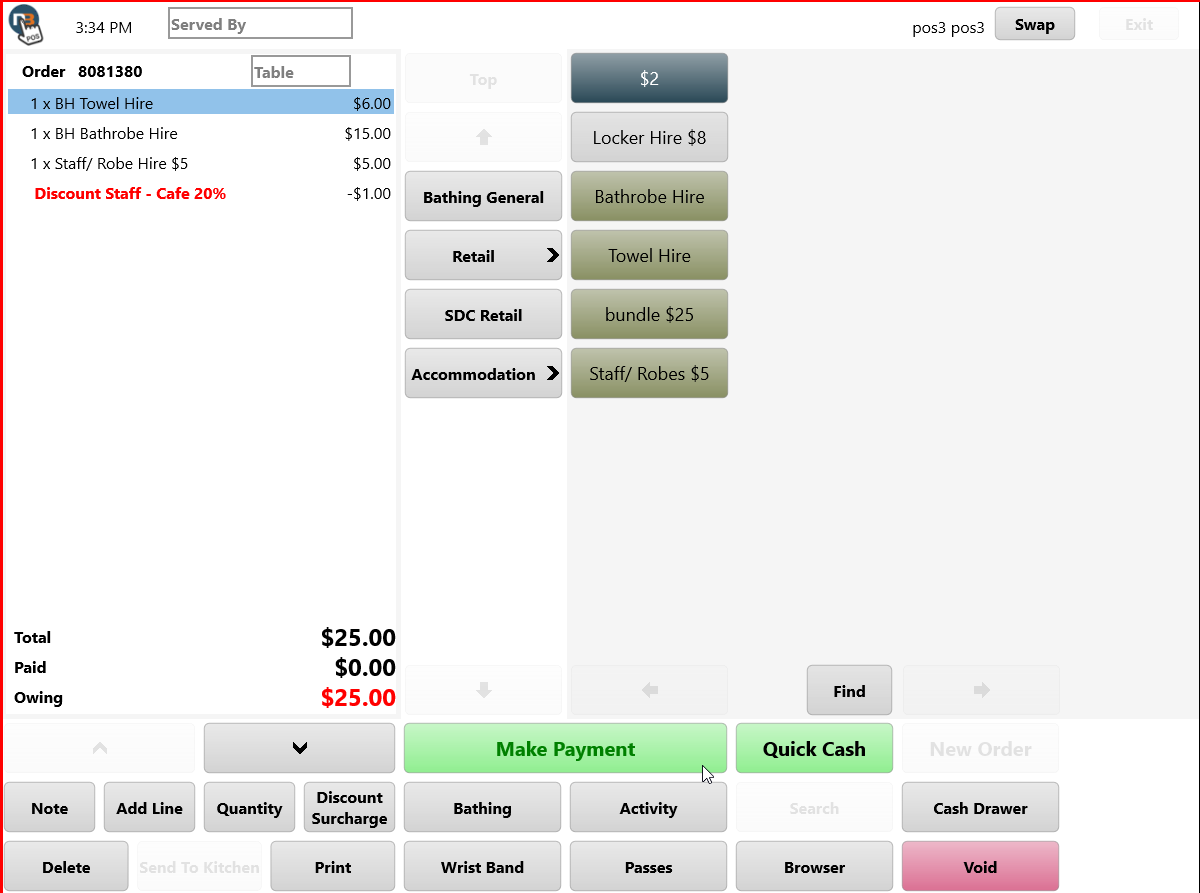
Discounts On POS
Netbookings POS allows user to apply discounts for selected or all items in an order. See also Discounts, Retail Products & POS to understand how to setup discounts for POS.
POS>New Order
Add Items & Click Discount Button
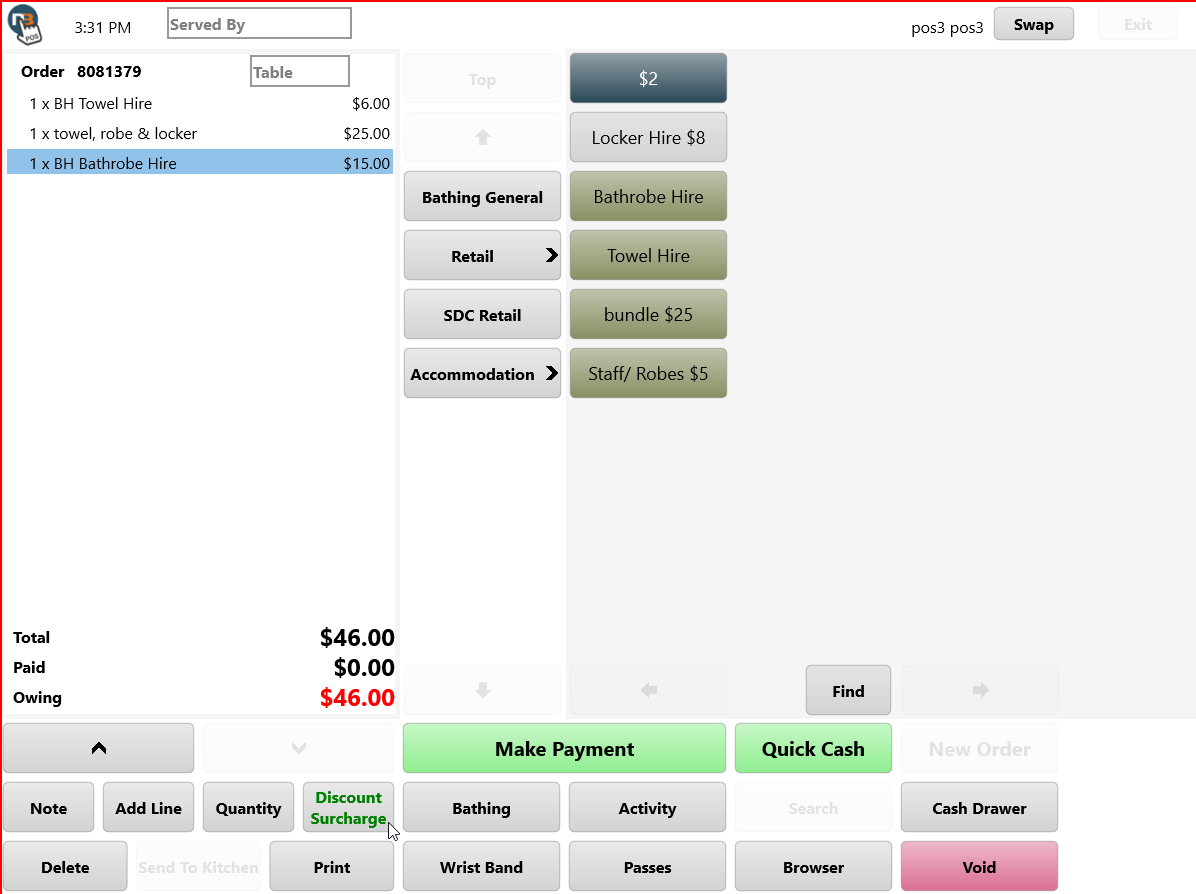
Apply to All
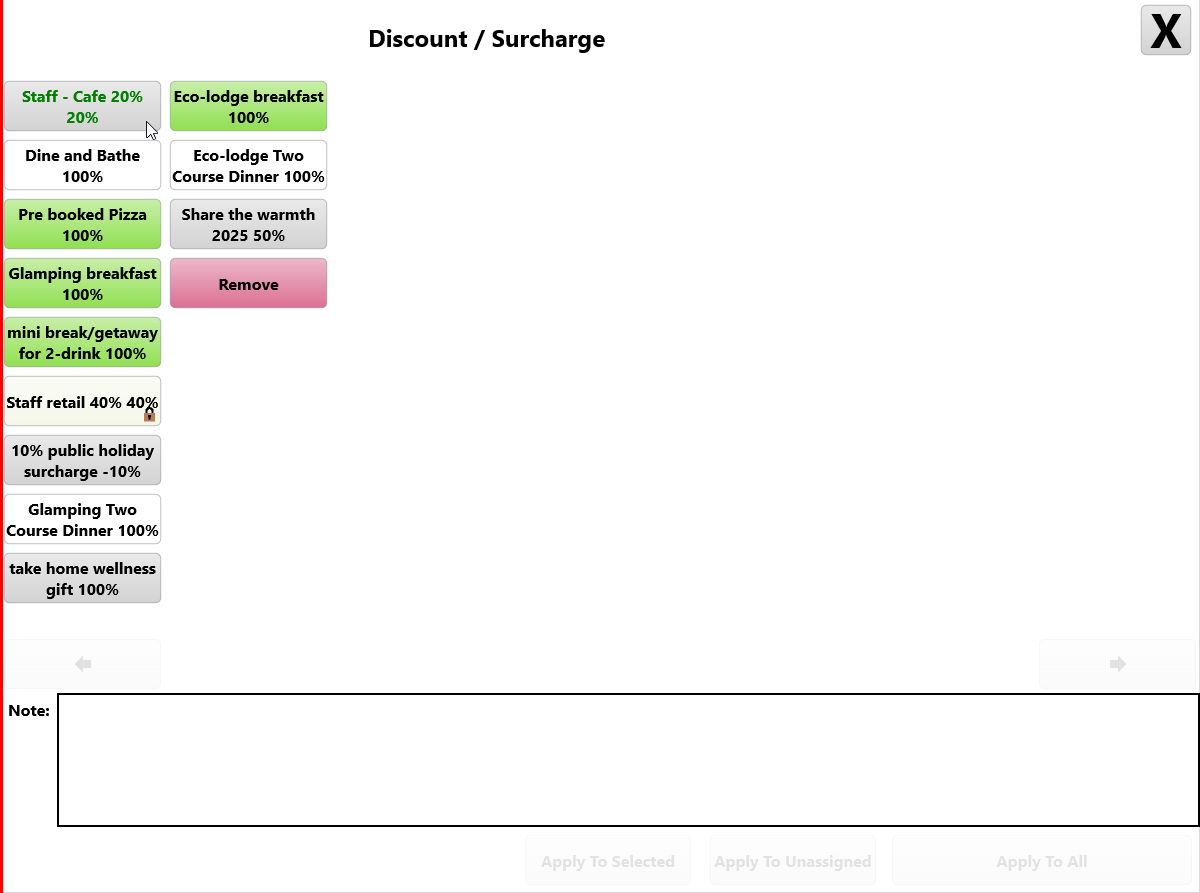
Select relevant discount
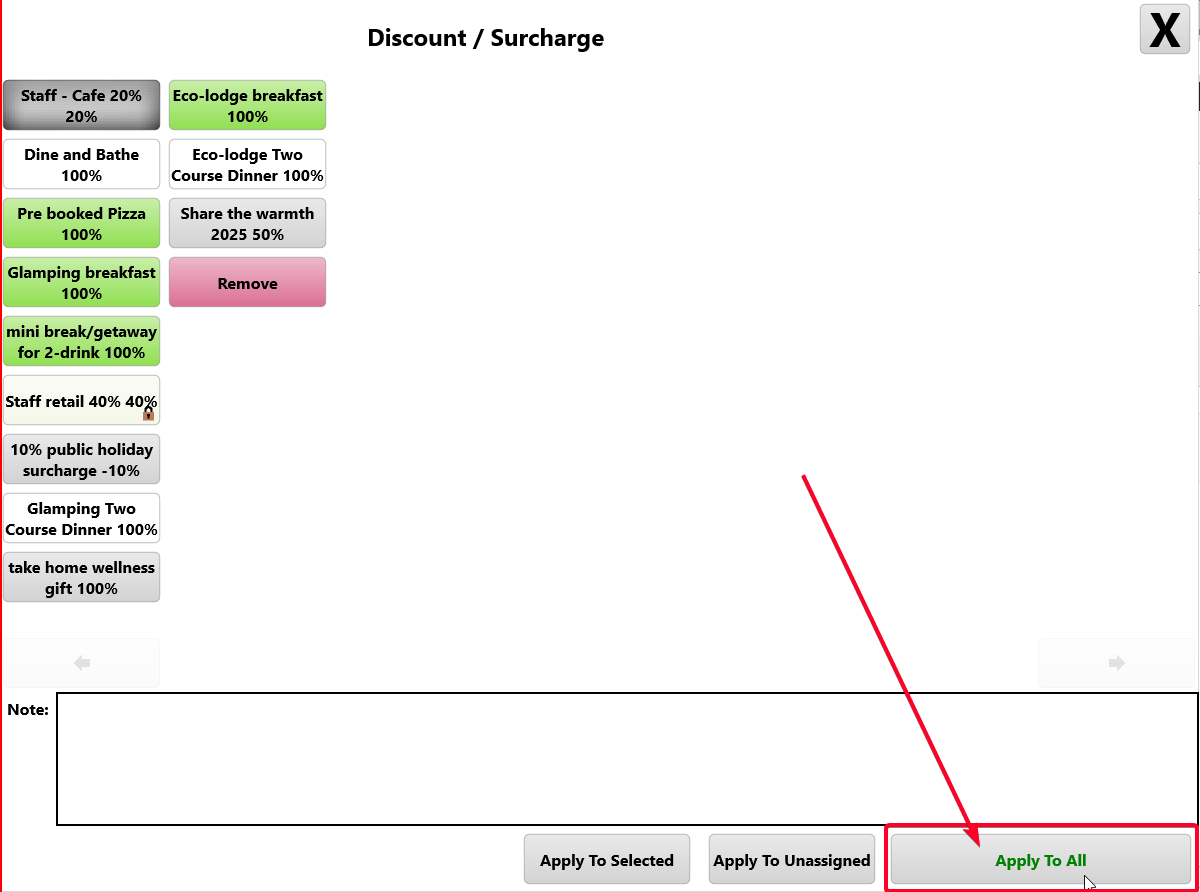
Select ‘Apply To All’ button to proceed.
Apply to Selected
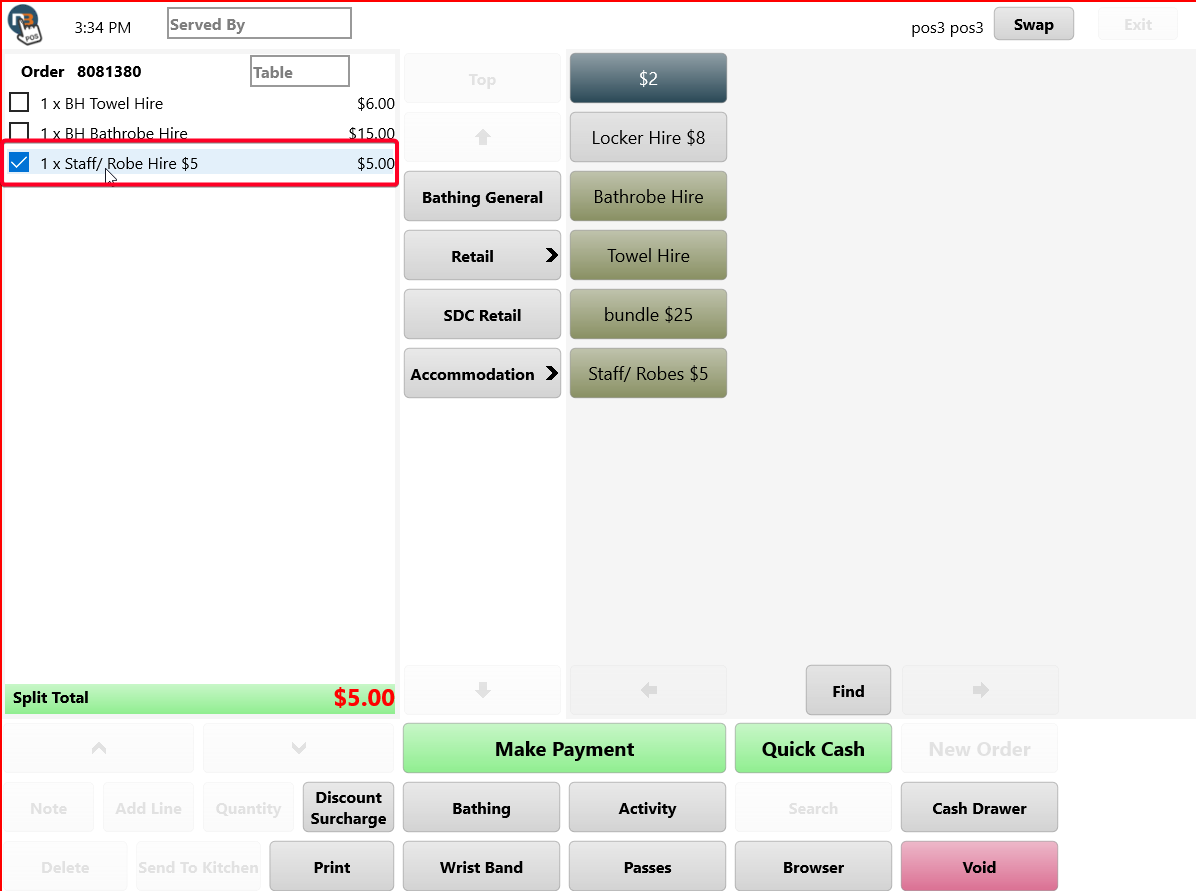
Right click or Press & Hold to select lines for discounting. Then select ‘Discount Surcharge’ button.
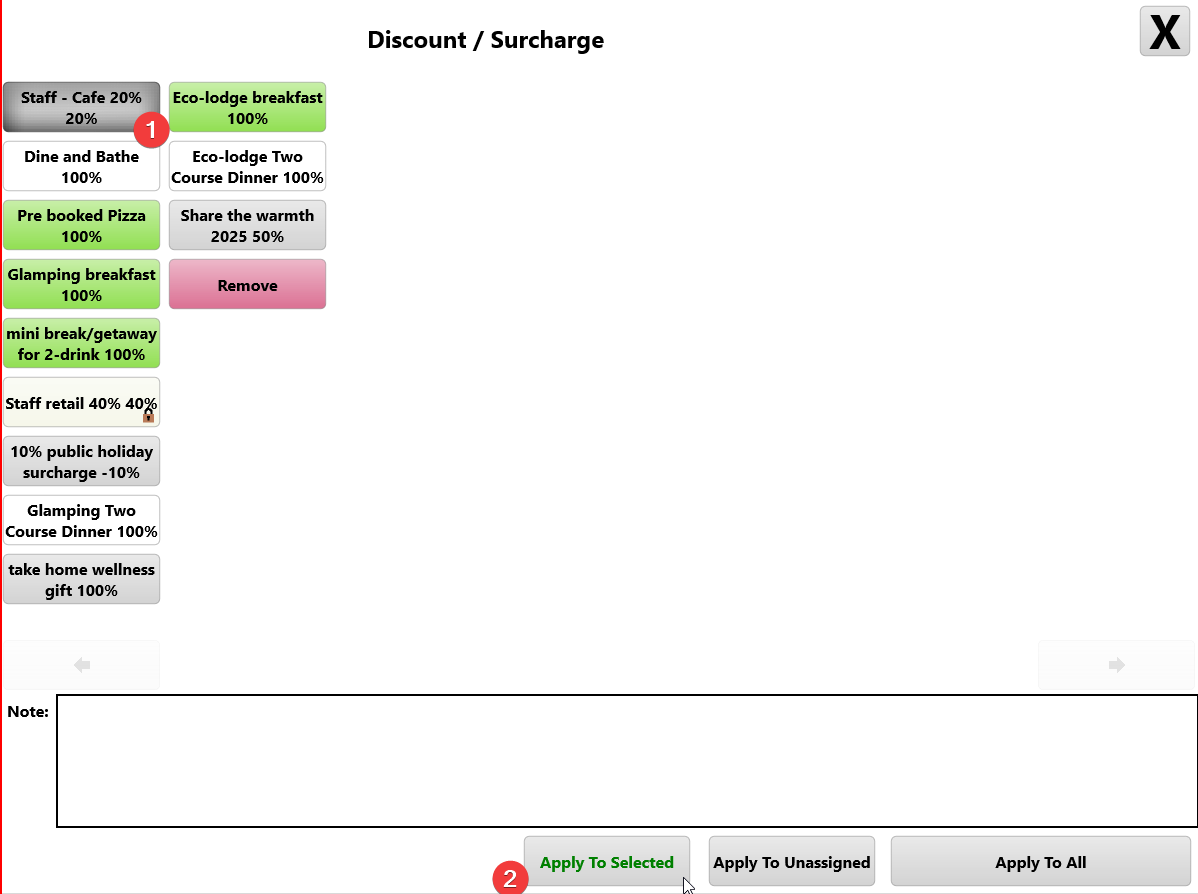
Select relevant discount. Click ‘Apply To Selected’ button to proceed.
Make Payment