
Enabling Multiple Tour Group Types
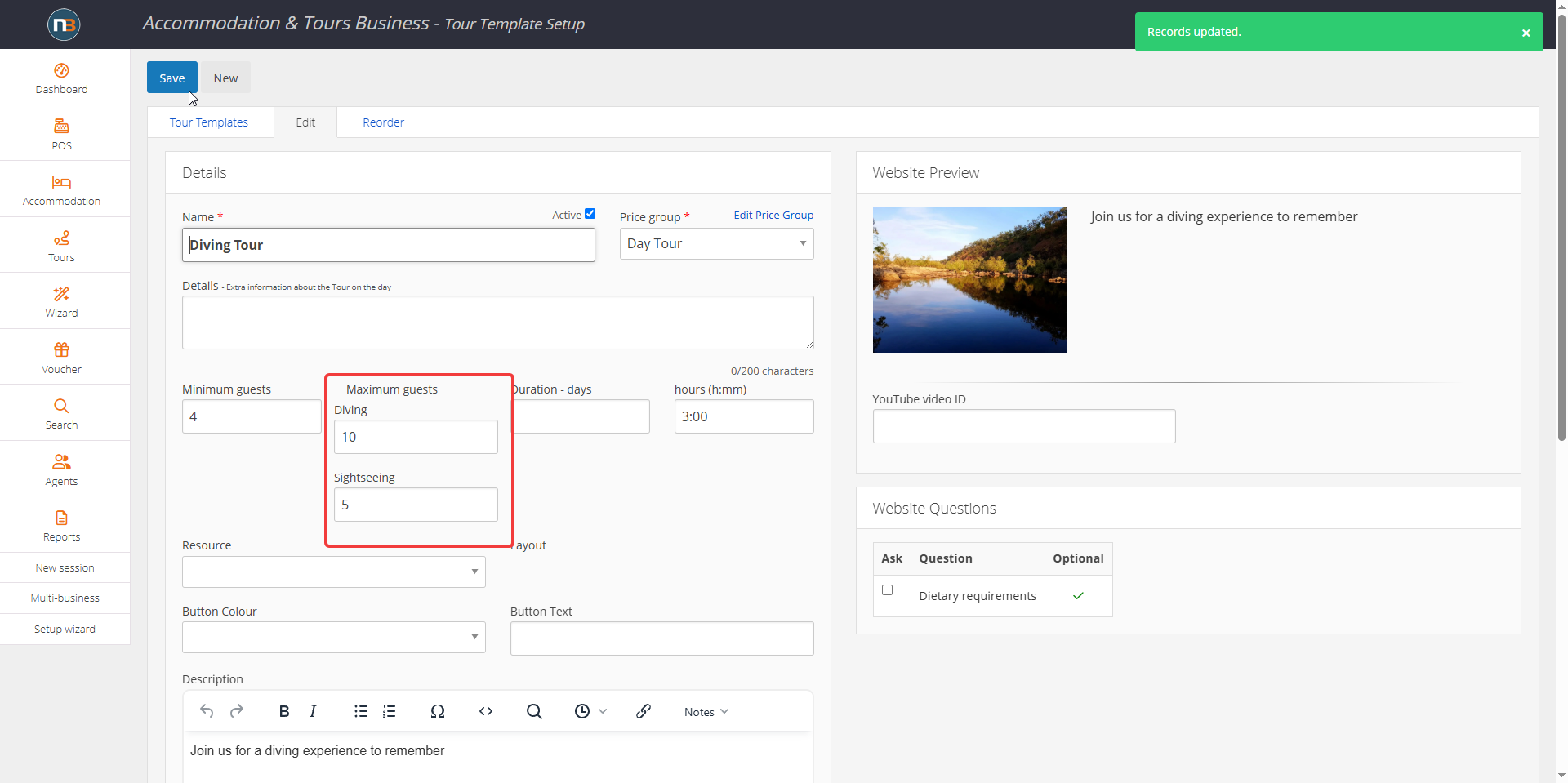
Allows tours/events/dining to have two different sets of maximums for guest pricing labels. eg. Dolphin swim charter – 20 total, maximum 15 diving and sightseeing of 5.
NOTE: Requires businesses to ask NB staff to enable this feature first. Only supports two group types. Ideal where diving business has diving guests and sightseeing guests and wish to limit sightseeing numbers (or both).
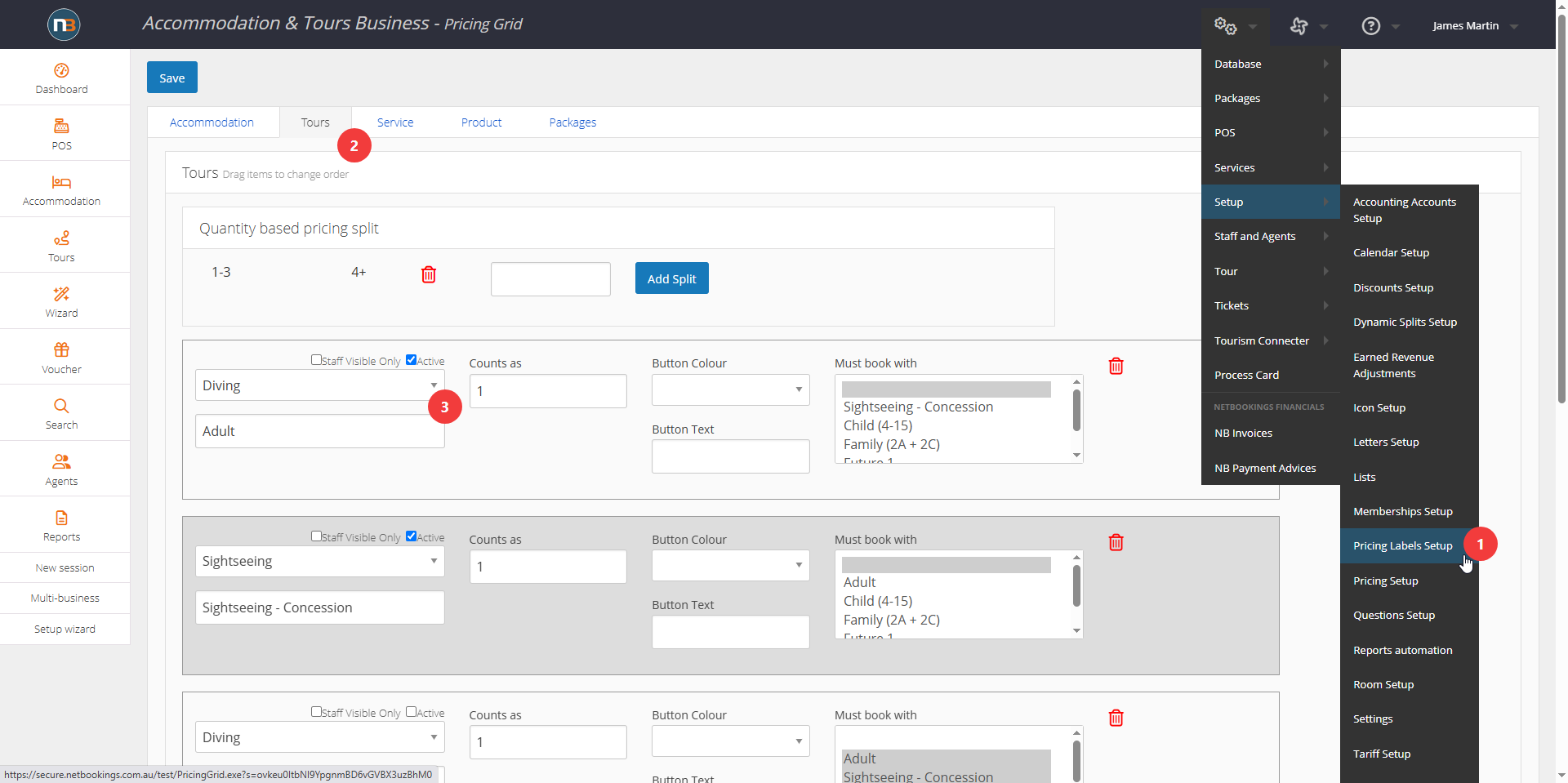
Go To System>Setup>Pricing Labels
Assign Group Types
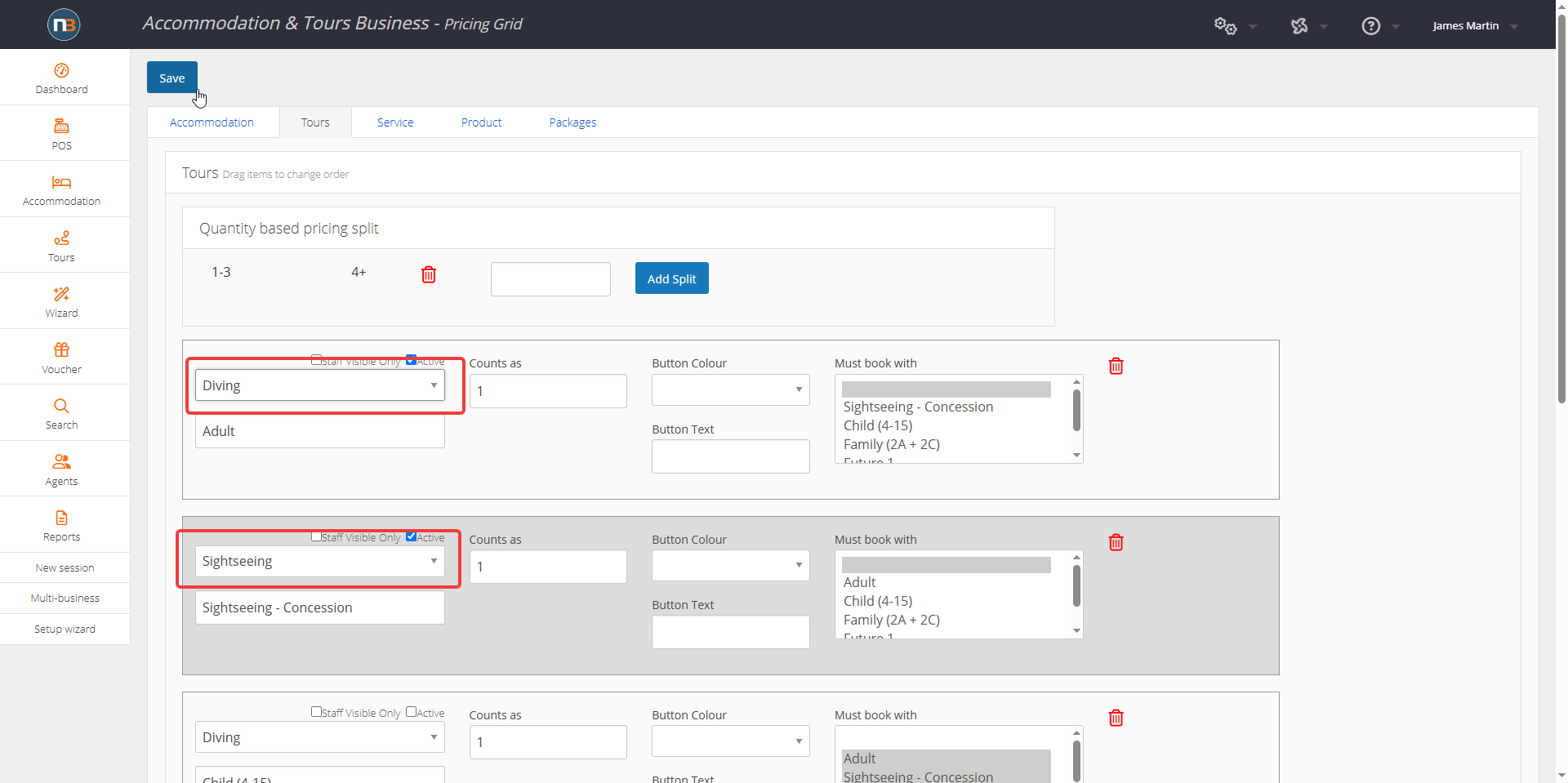
Note now that a drop menu exists to assign group type to pricing labels such as Diving or Sightseeing.
Assign Maximums In Tour Template
Ensure Pricing Exists
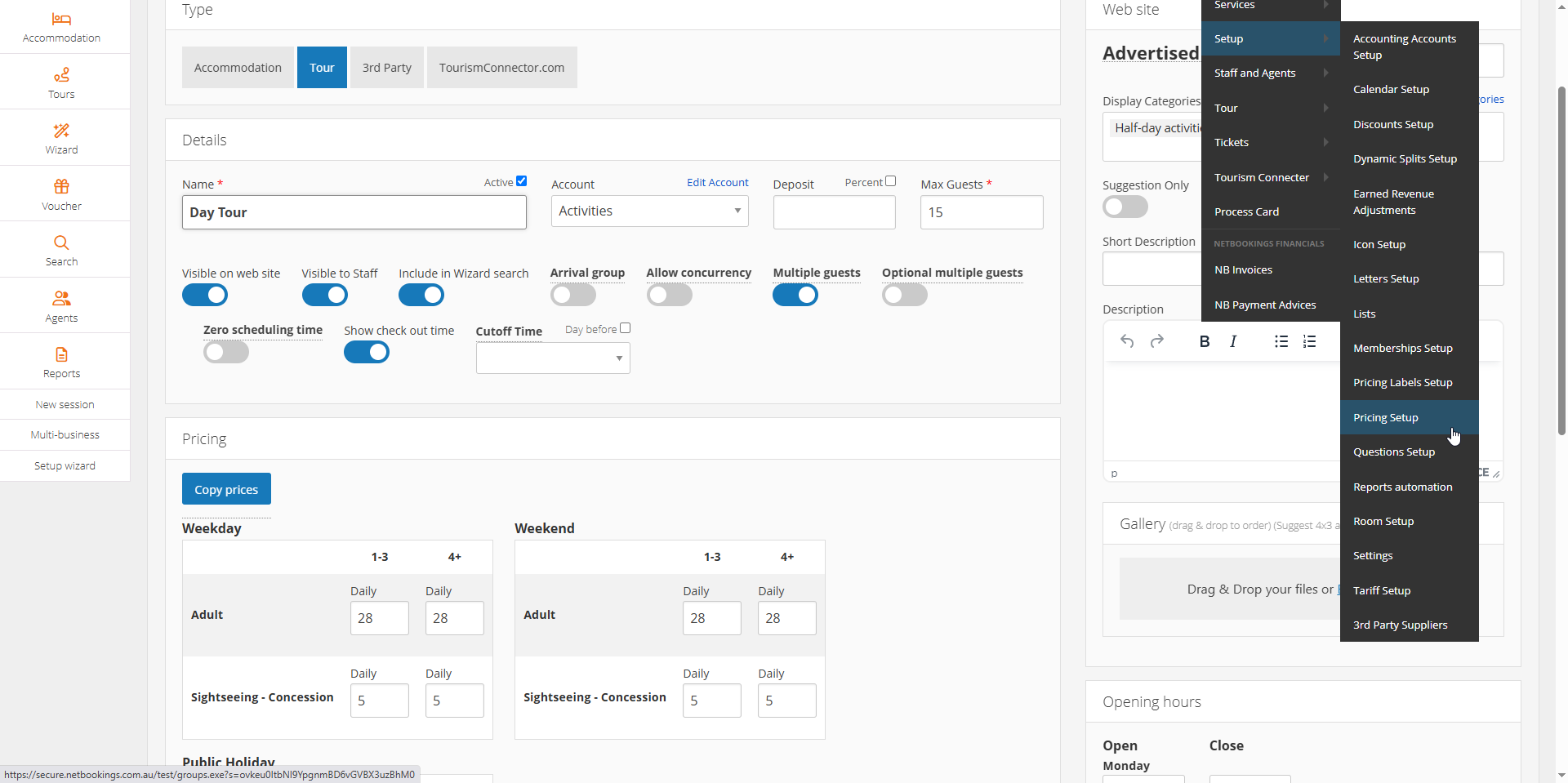
Go To System>Setup>Pricing Setup and select relevant pricing group associated with Tour Template. Ensure pricing exists for applicable pricing labels (Adult & Sightseeing – Concession for example), so that bookings can be made successfully.
Make Bookings
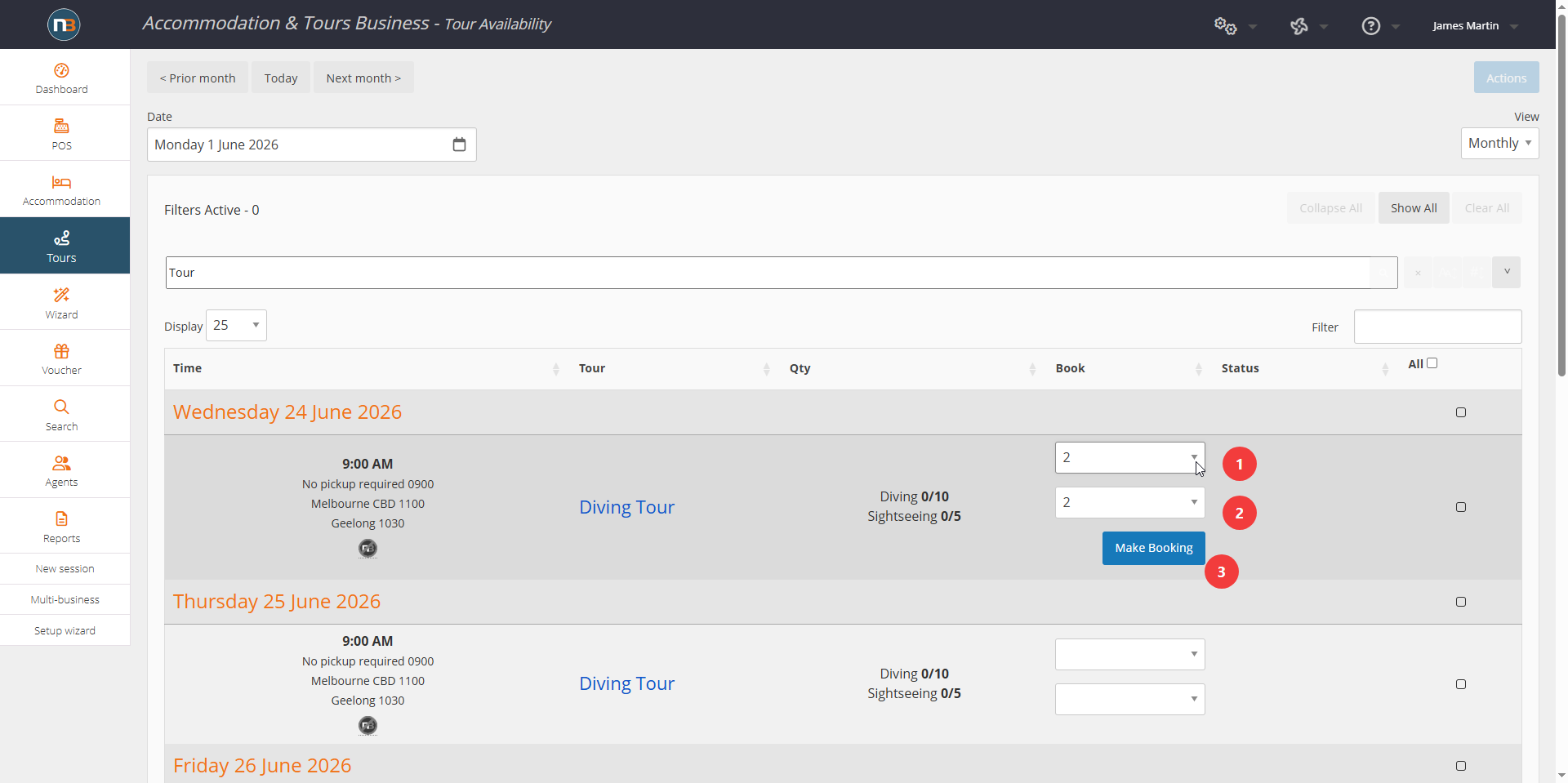
Go To Tour Calendar to make bookings. Note now that there are two drop menus per session, for booking Divers or Sightseers, and only allows the relevant guest maximums set in tour template.
Shows Maximums For Groups
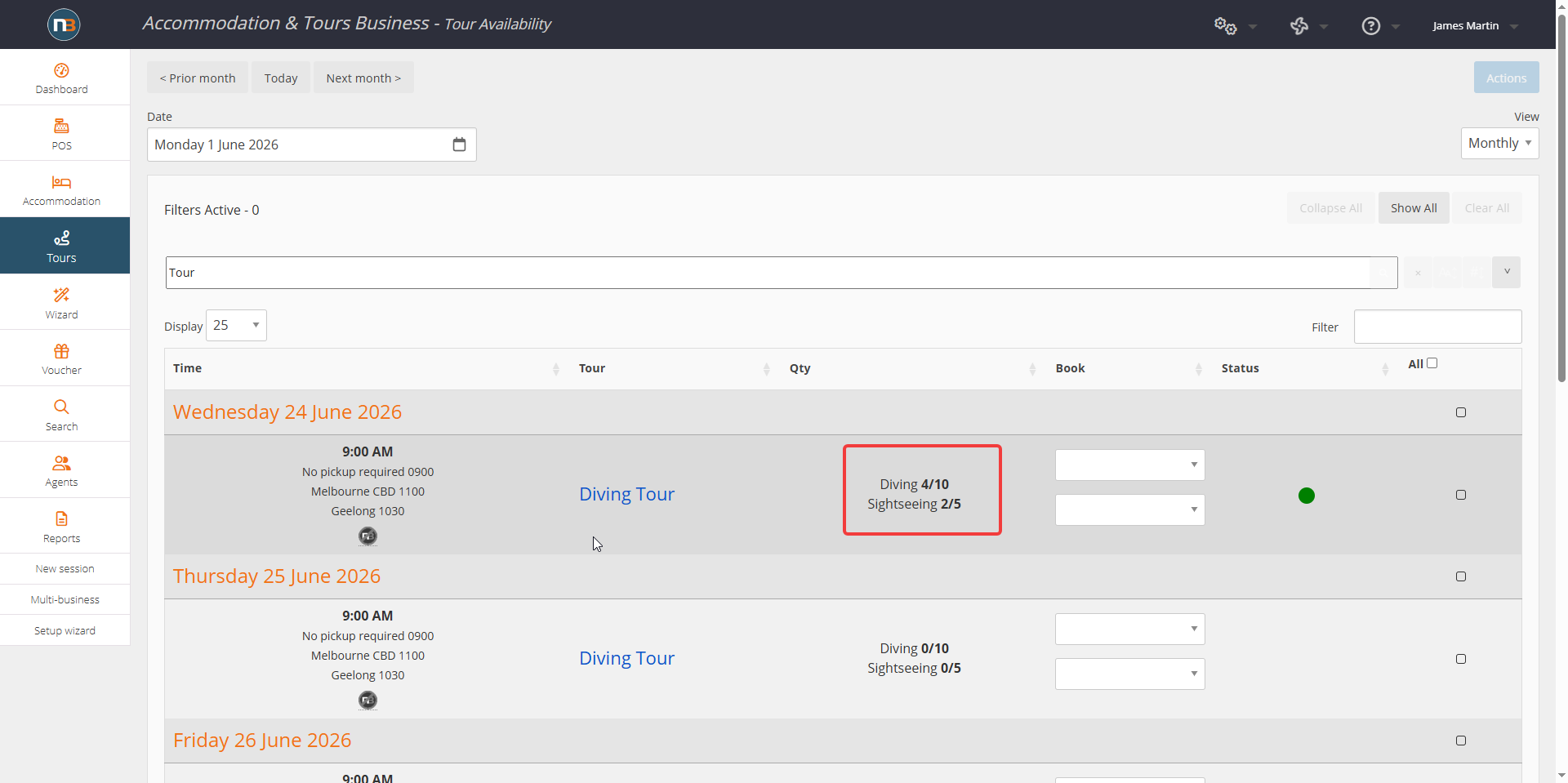
Shows the booked guest types now, to keep track of how many are left for each group type assigned.
Online Example
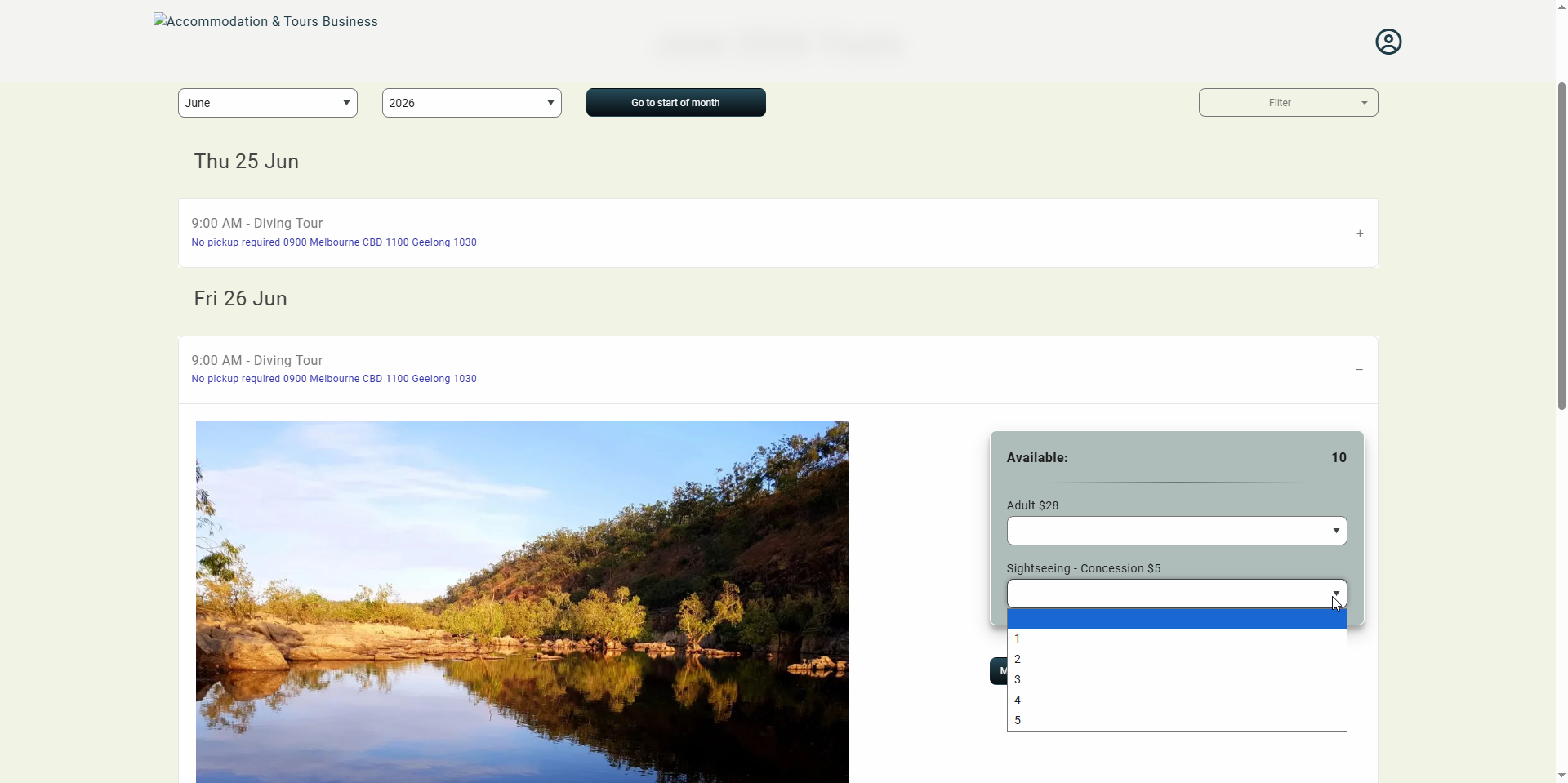
Note that it will only allow as many guests as you’ve set in the tour template maximums to be booked online also.