
Guest Booking History
Guest Booking History brings everything a guest has ever done with your business onto one screen, across every module rather than one at a time. Use it before a regular arrives, or when somebody rings and asks what they had last time.
Opening A Guest’s Booking History
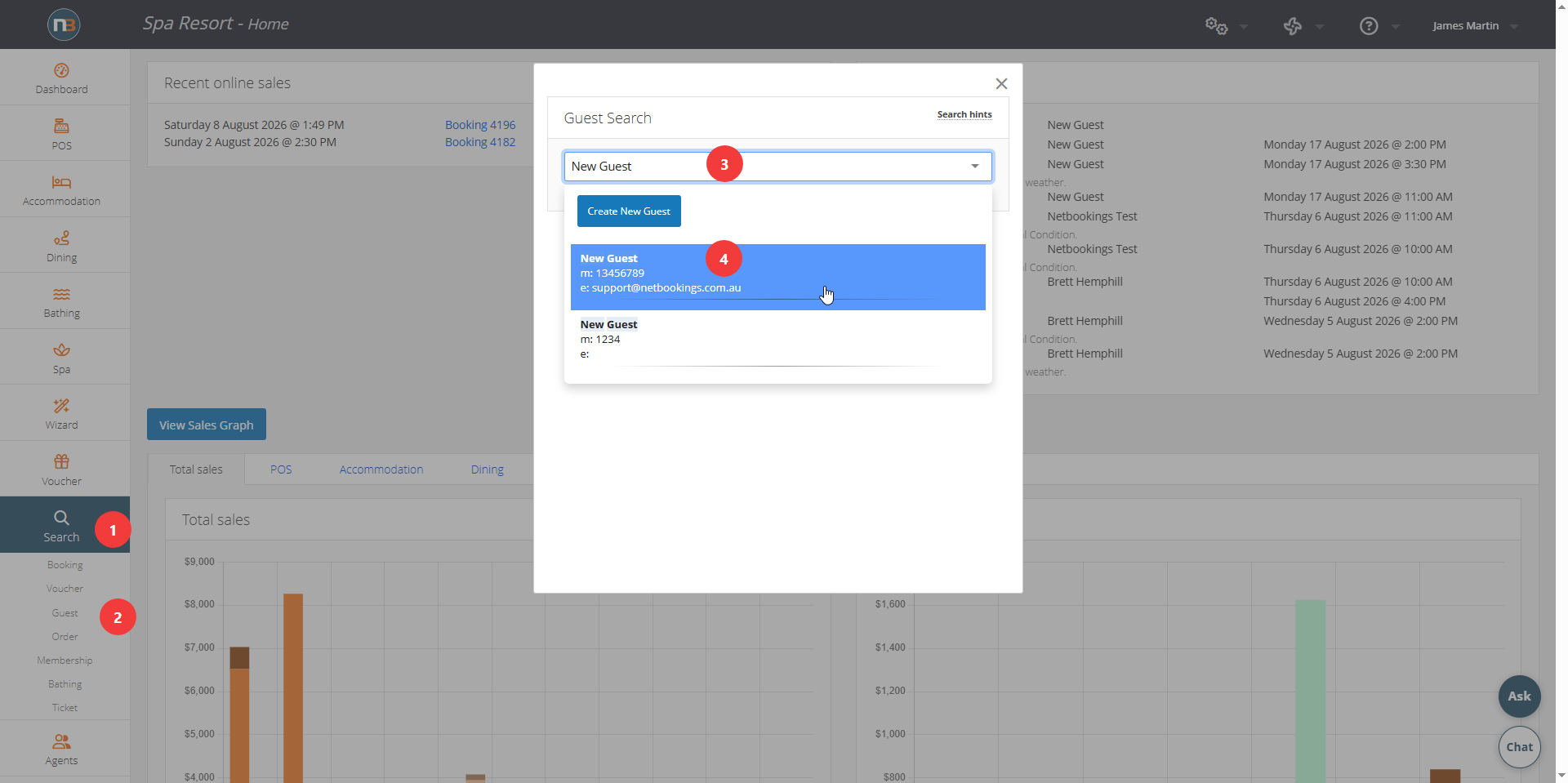
Find the guest at Search>Guest popup menu
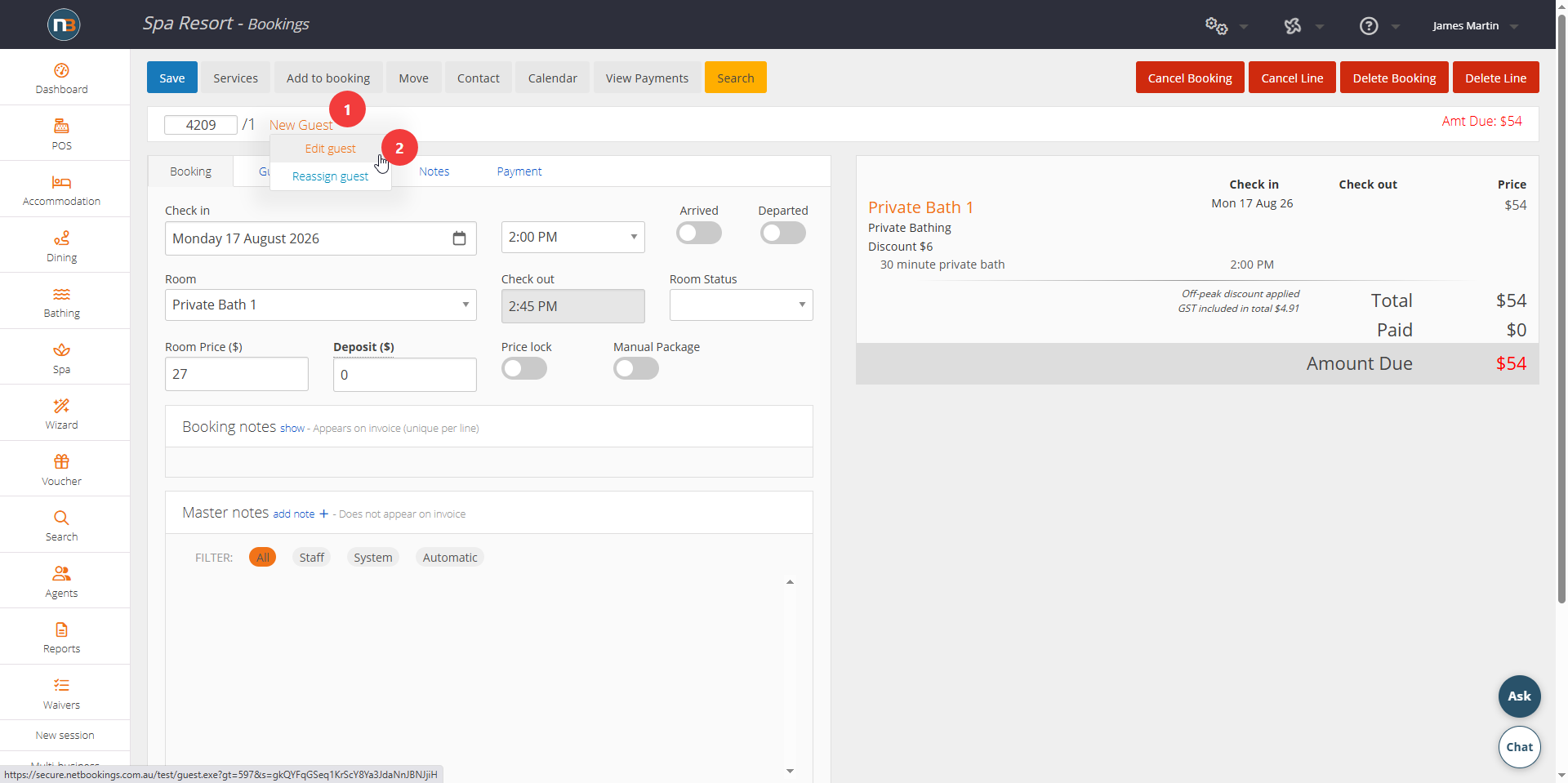
Or click on edit guest details when at booking. Press ‘Edit guest’ to open their record.
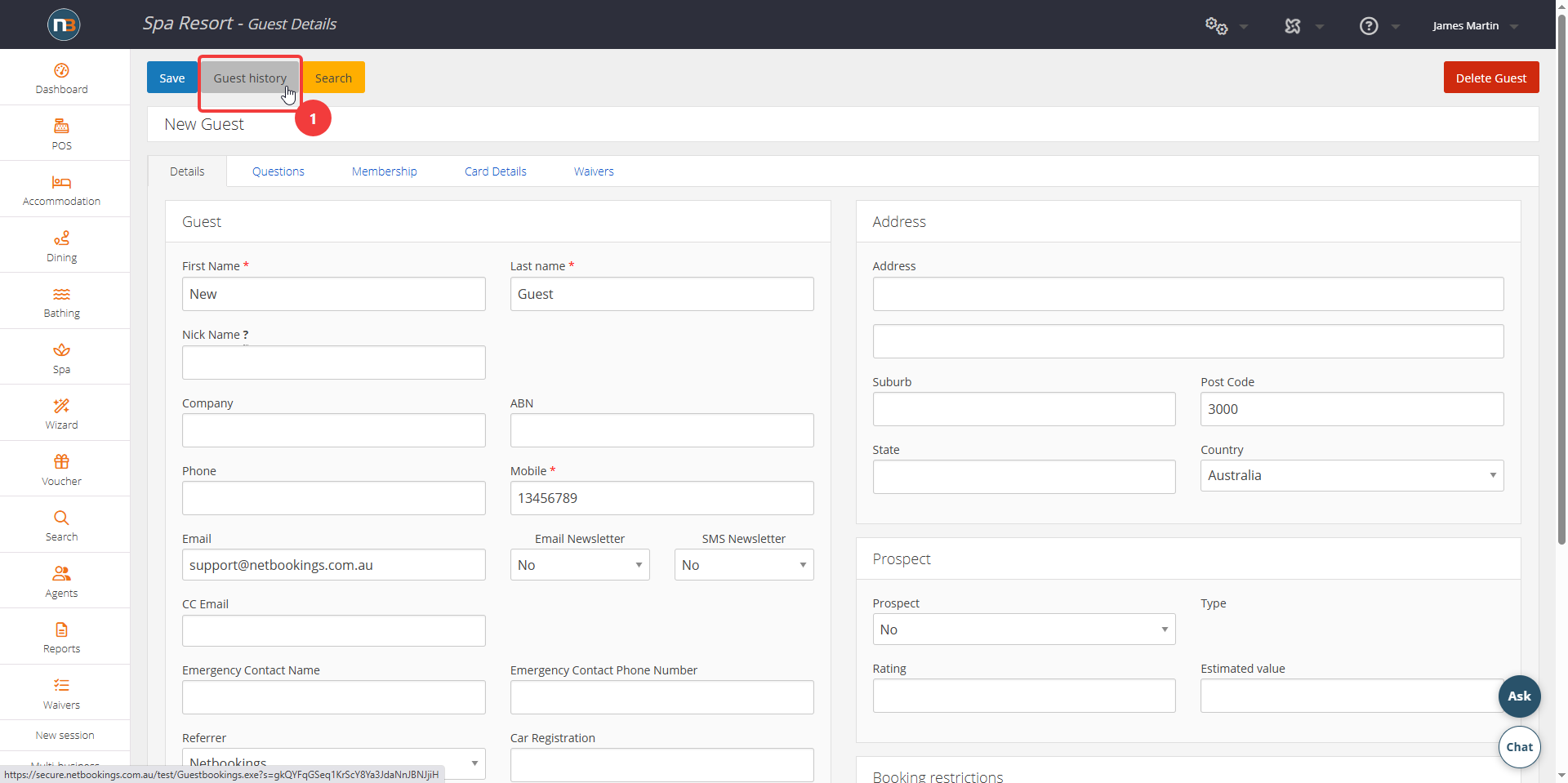
Click the Guest History button once in Guest Details.
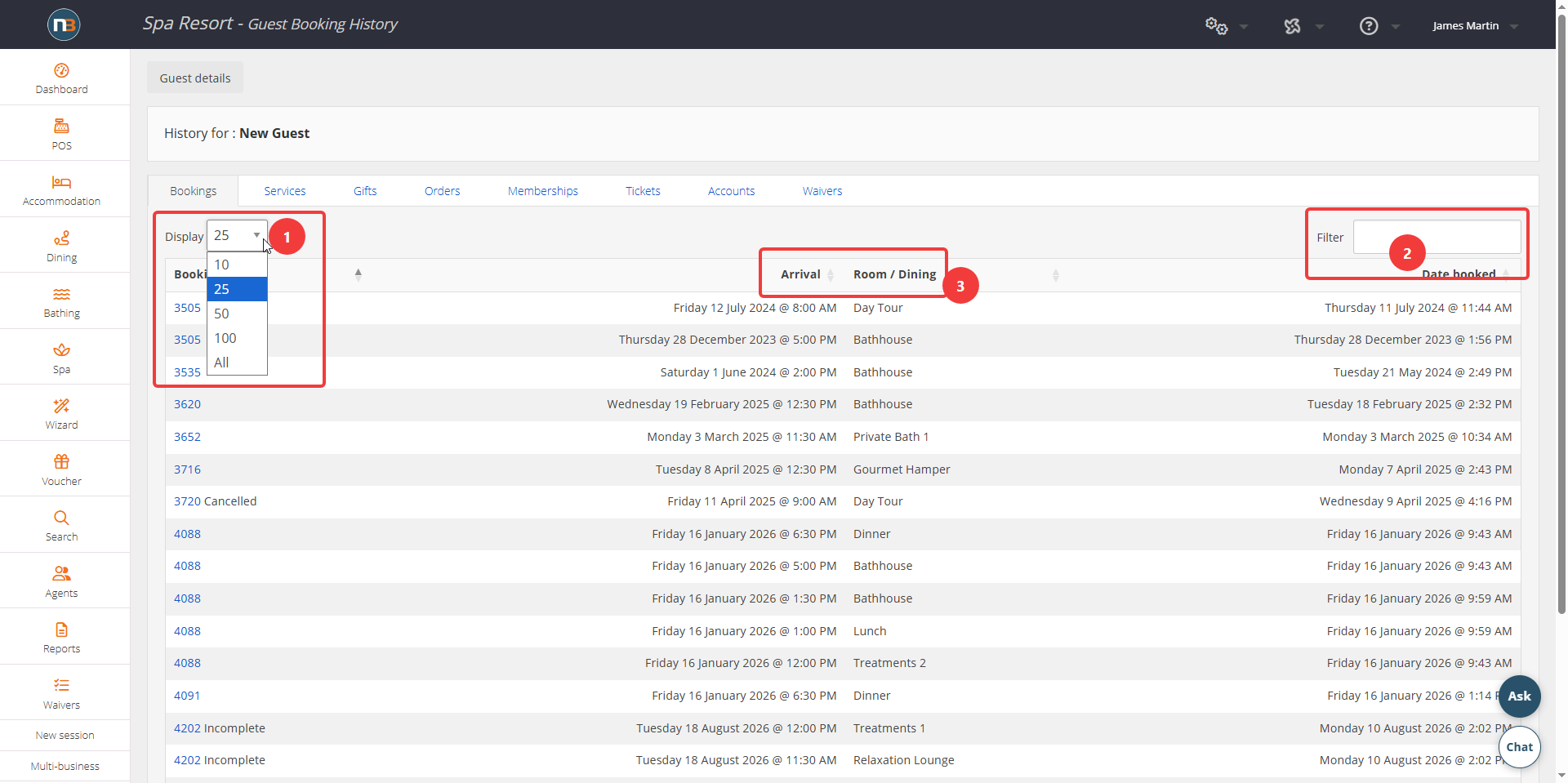
Guest history opens on the ‘Bookings’ tab, with the guest’s name shown at the top. Use ‘Display’ to change how many rows show, or ‘Filter’ to search within the list. Change the column order ascending or descending if needed.
The Tabs
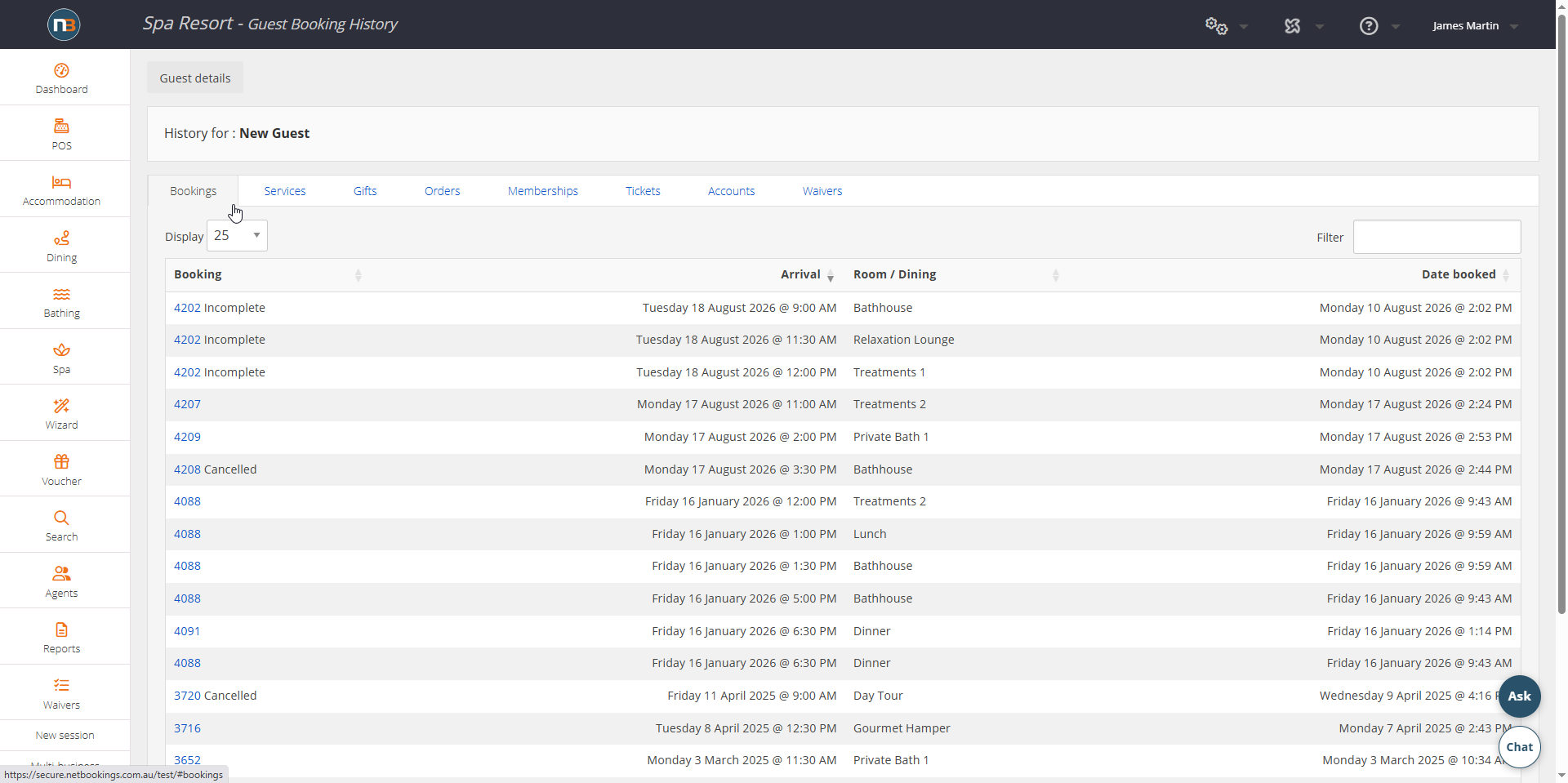
- Bookings lists every booking with its arrival date, the room or area it was for, and the date it was made. Cancelled and incomplete bookings are shown as well, so an abandoned booking is visible rather than lost.
- Services lists every treatment and service the guest has had, with the date and the price.
- Gifts lists gift vouchers with their value, the balance remaining and the expiry date.
- Orders lists retail and product orders.
- Memberships lists memberships held.
- Tickets lists tickets and passes.
- Accounts lists account activity.
- Waivers lists waivers the guest has signed.
Prices On Package Components
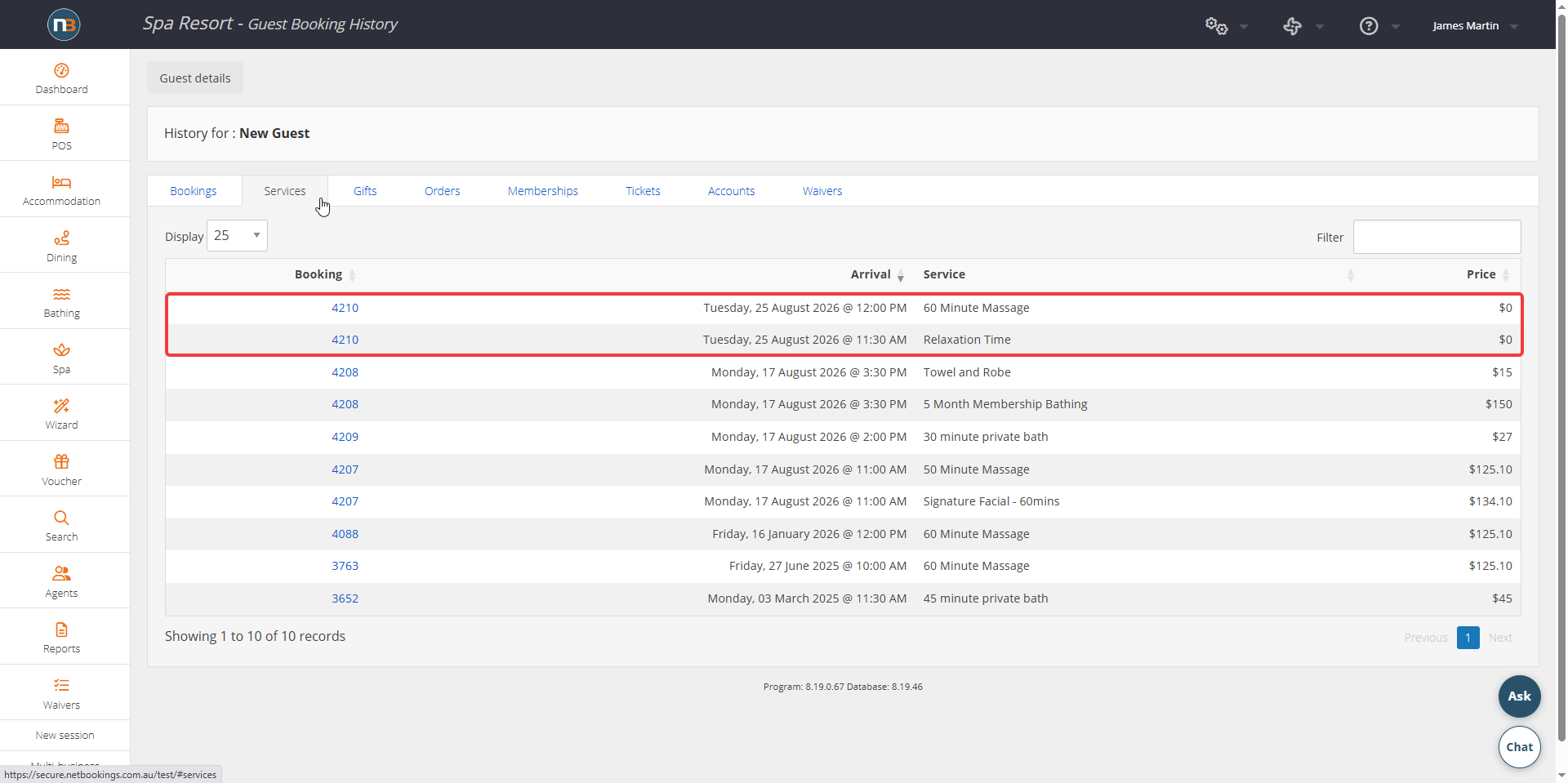
A service booked on its own shows what it cost on its line. A service that came as part of a package shows without a price against it, because the guest bought the package rather than that service.
The value is still apportioned across the package components for your accounts, using the percentage splits set on the package. Read the ‘Services’ tab as a record of what a guest has had and when, rather than as a price list.
Vouchers with a balance
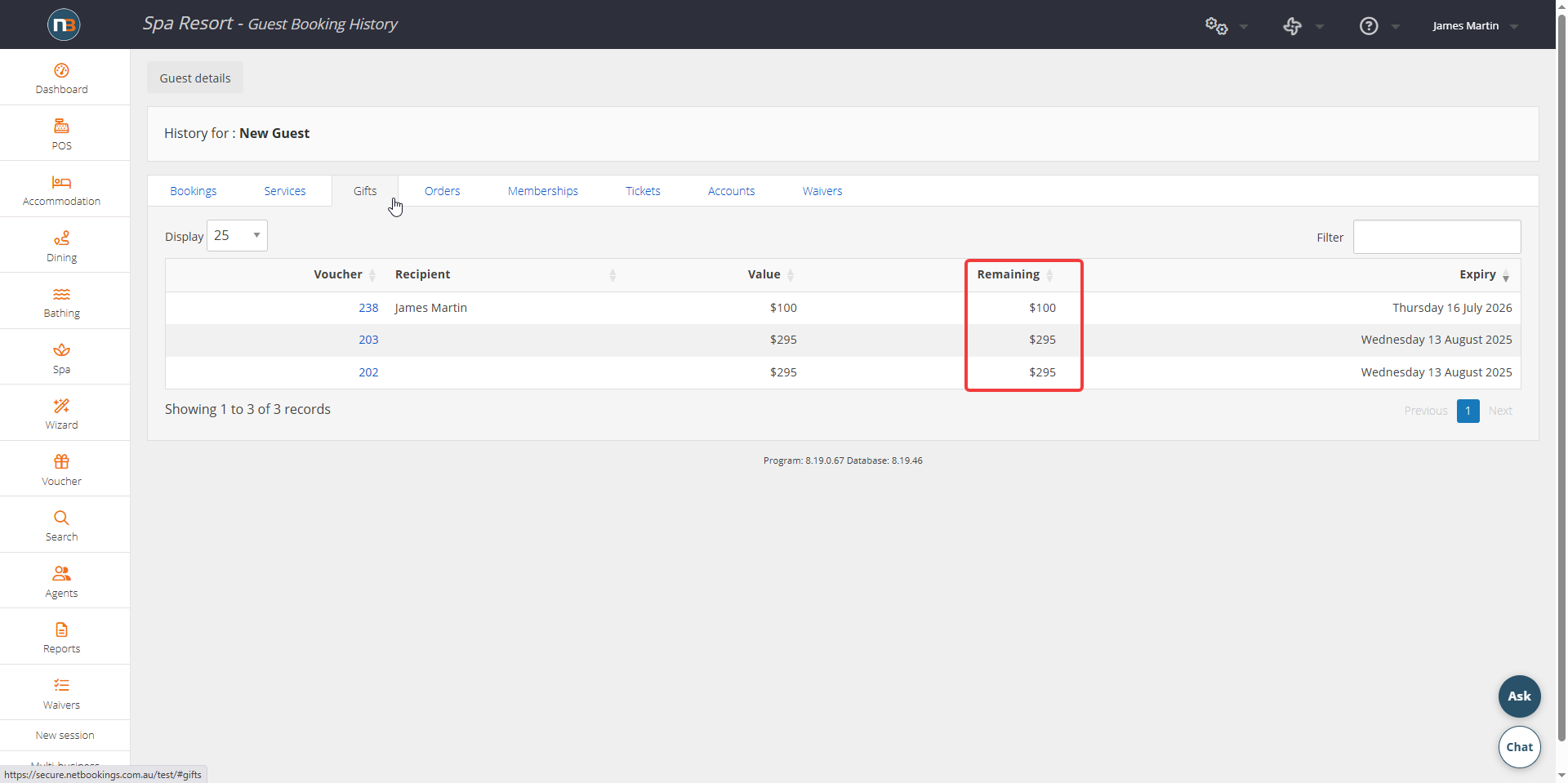
The Gifts tab shows a Remaining column as well as the voucher value, so a part-redeemed voucher is visible to whoever is serving the person holding it.