
Accommodation Channel Management
Resonline is an online accommodation channel management system. Netbookings provides integration with Resonline. For more information about Resonline, click here.
Click ‘Settings’
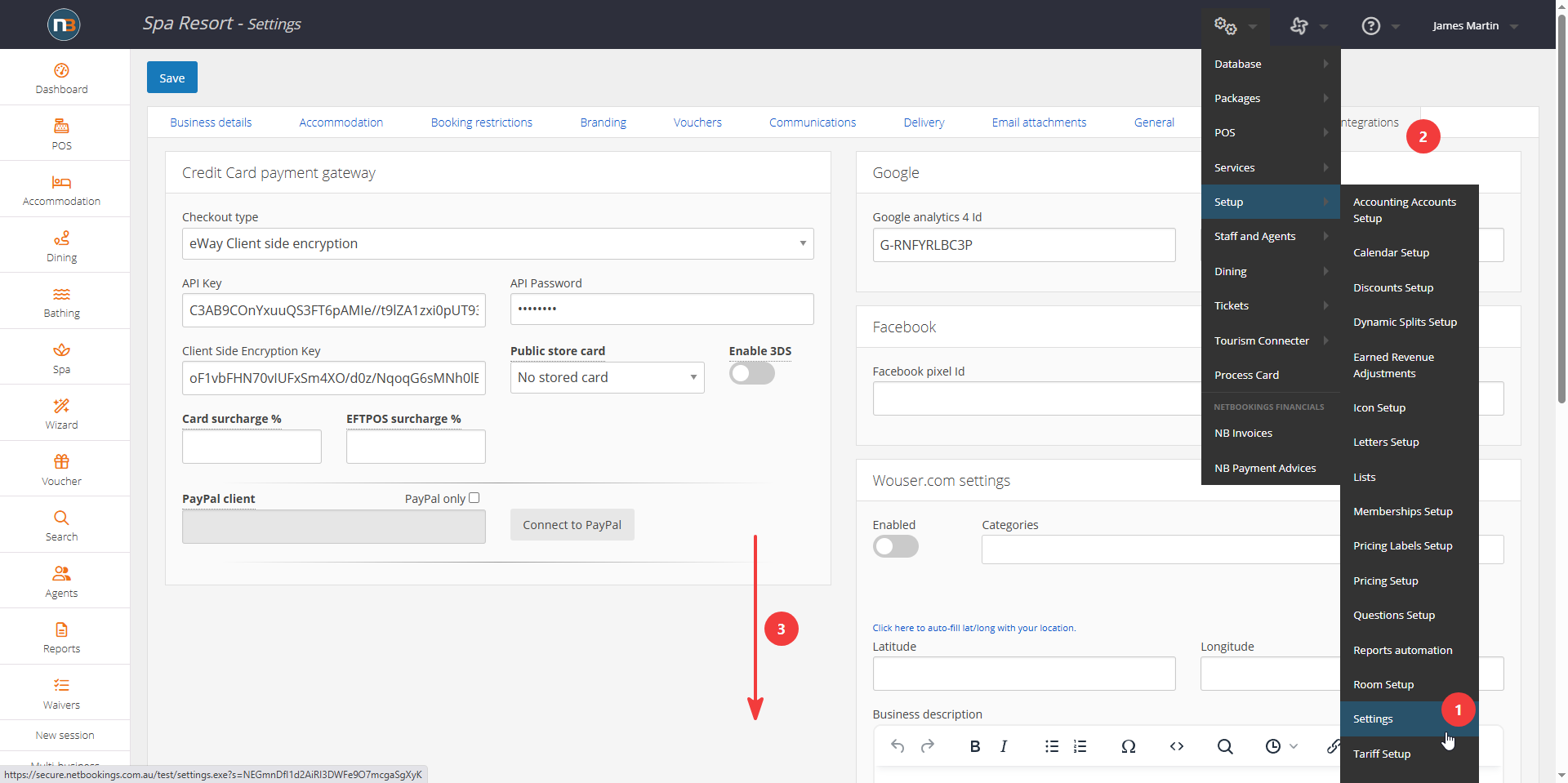
Navigate to System > Setup > Settings. Click ‘Integrations’ and go down page to ‘Accommodation Channel Management’ panel,
Enter Your Resonline Details
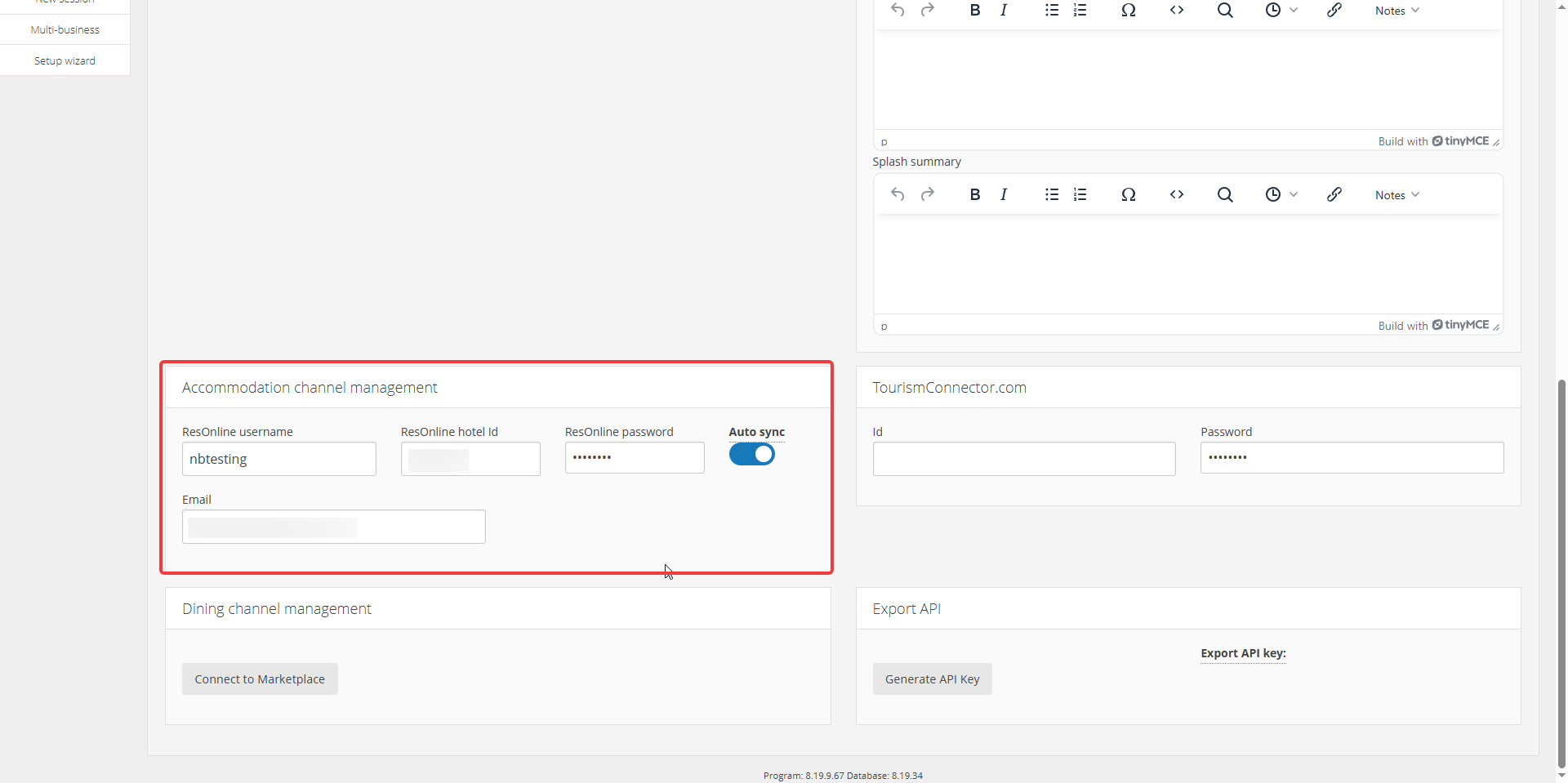
Support for Resonline can be found here.
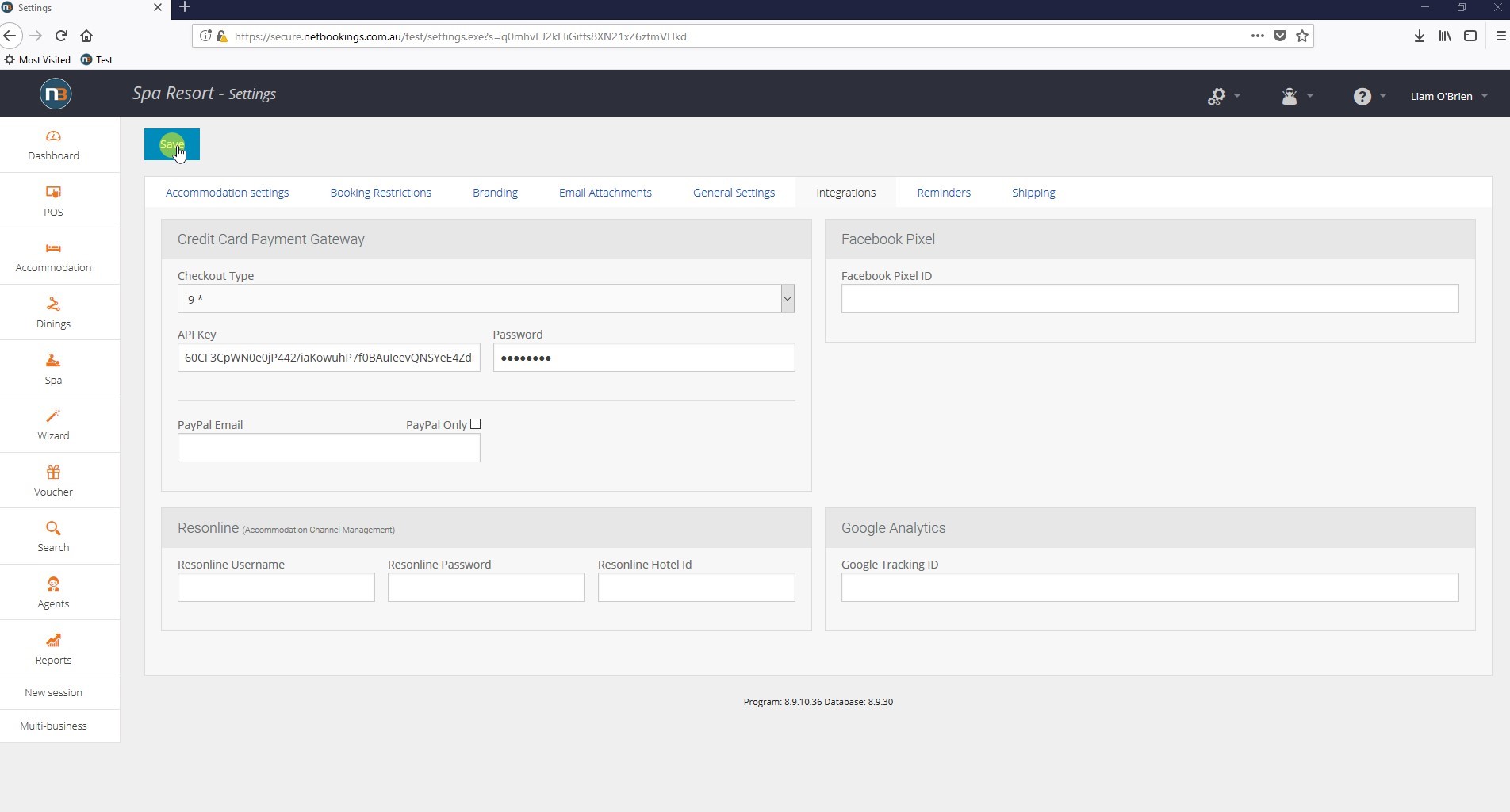
Click ‘Save’
Setting Channels
To update the prices and minimum nights set for our various accommodation types we need to manually update after changes made to prices in pricing group setup or calendar setup for minimum nights.
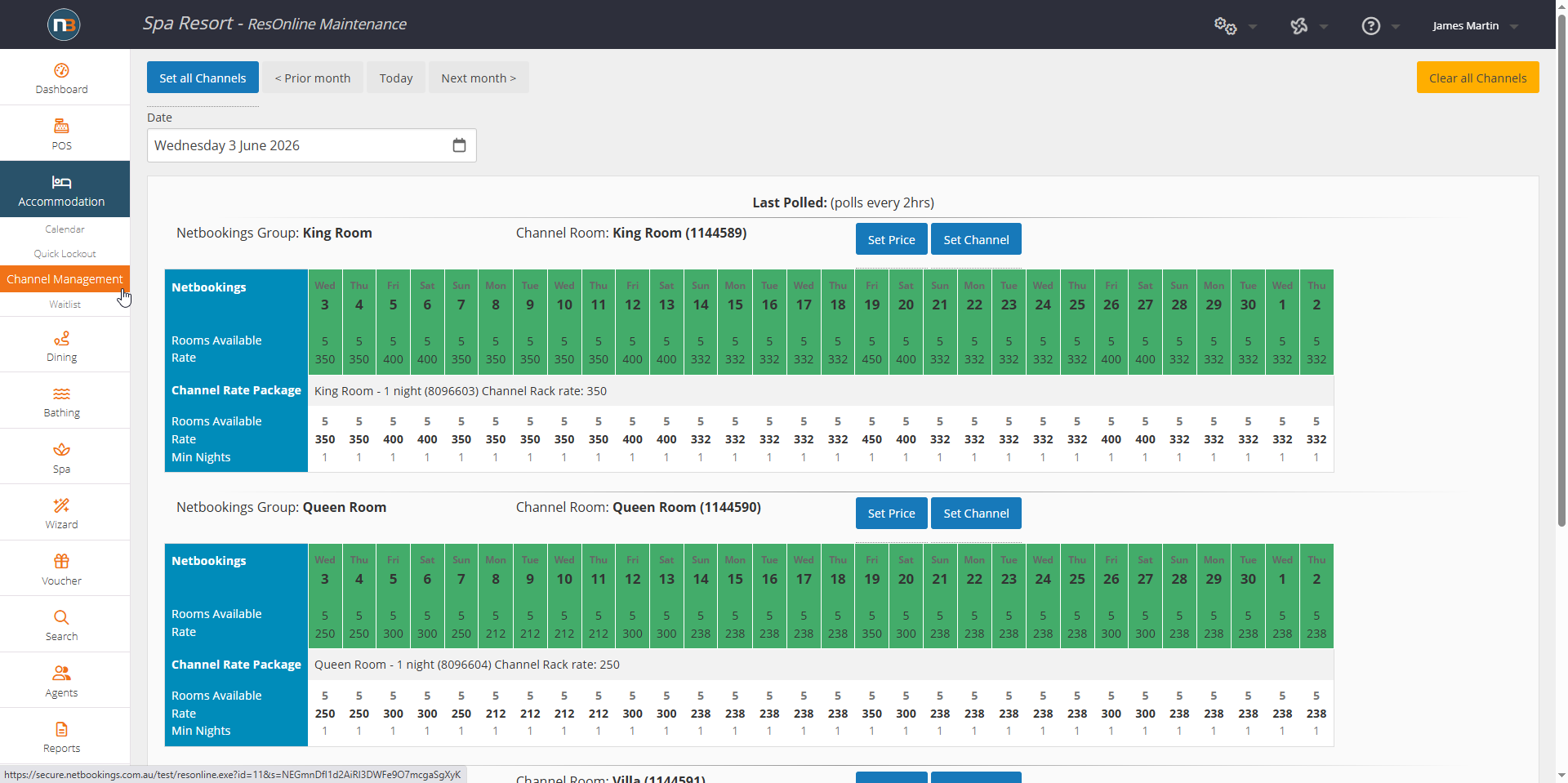
Go to Accommodation>Channel Management.
Set All Channels
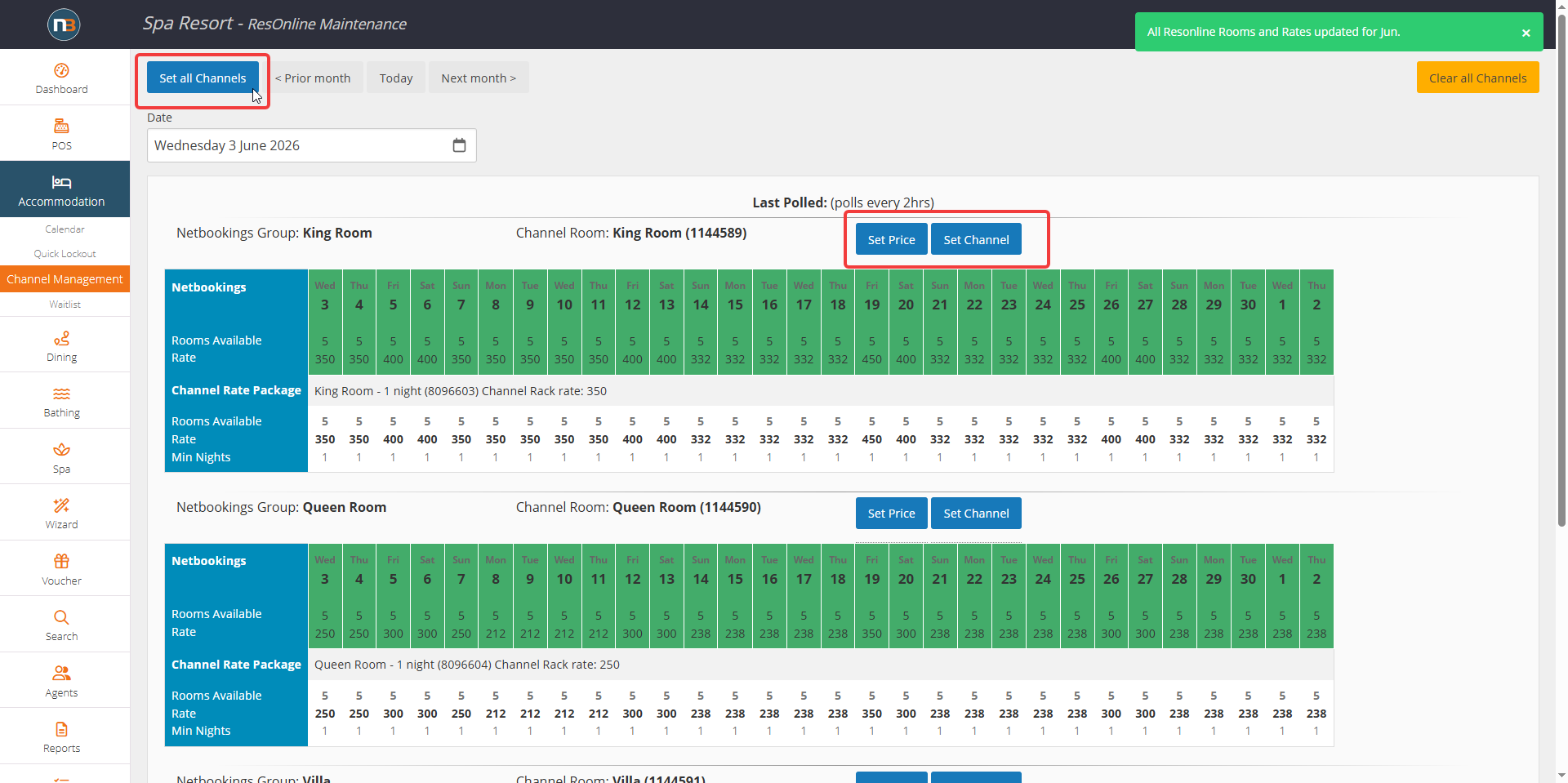
To update all accommodations types at once use the ‘Set all Channels’ button in top left corner. Otherwise you can set individual Netbookings pricing groups by price or min. nights (set channel) as seen above.
Auto Syncing
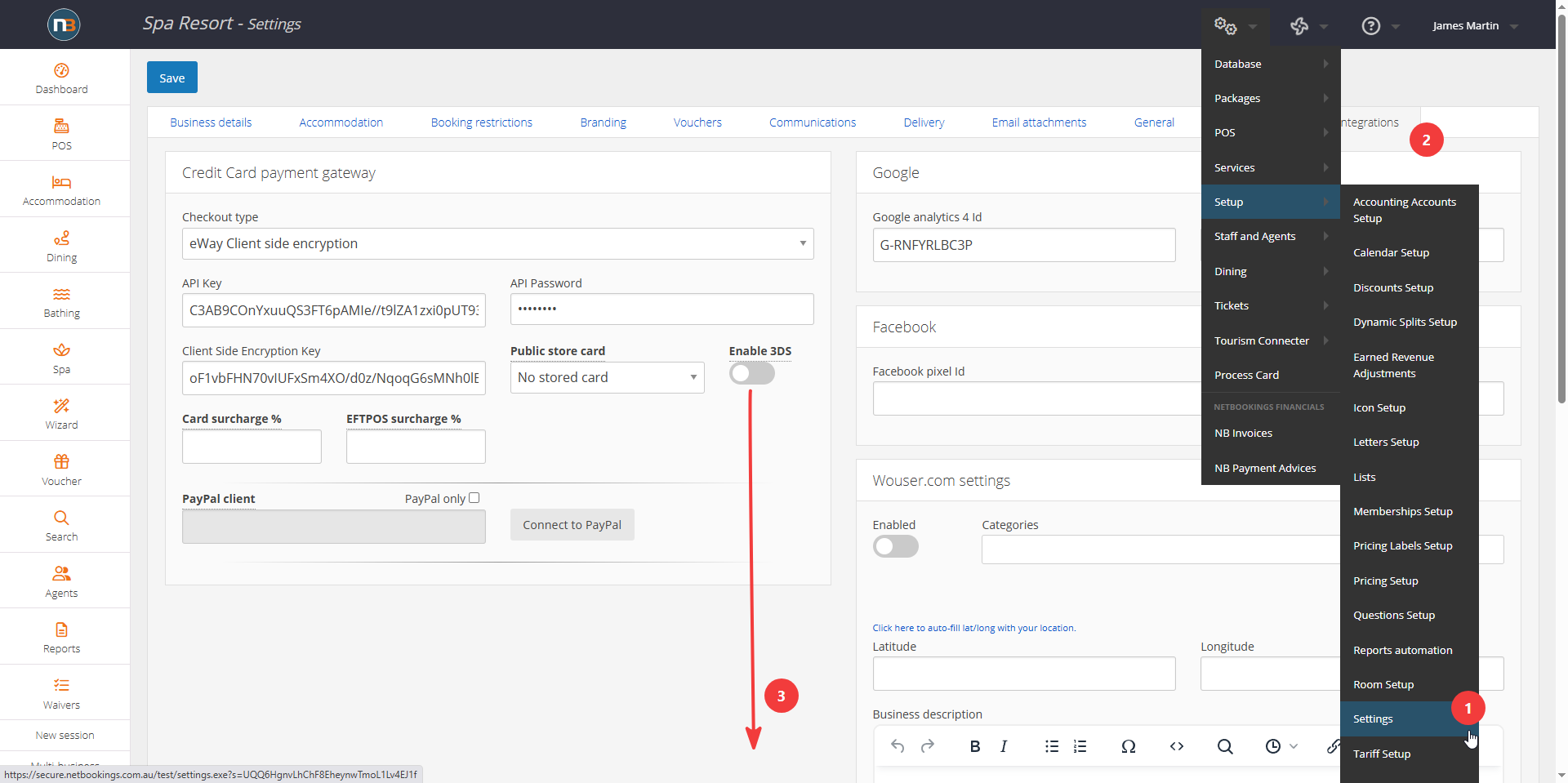
To ensure that the channels are automatically syncing your prices and minimum nights per room, you can set this so it does not have to manually be done as above.
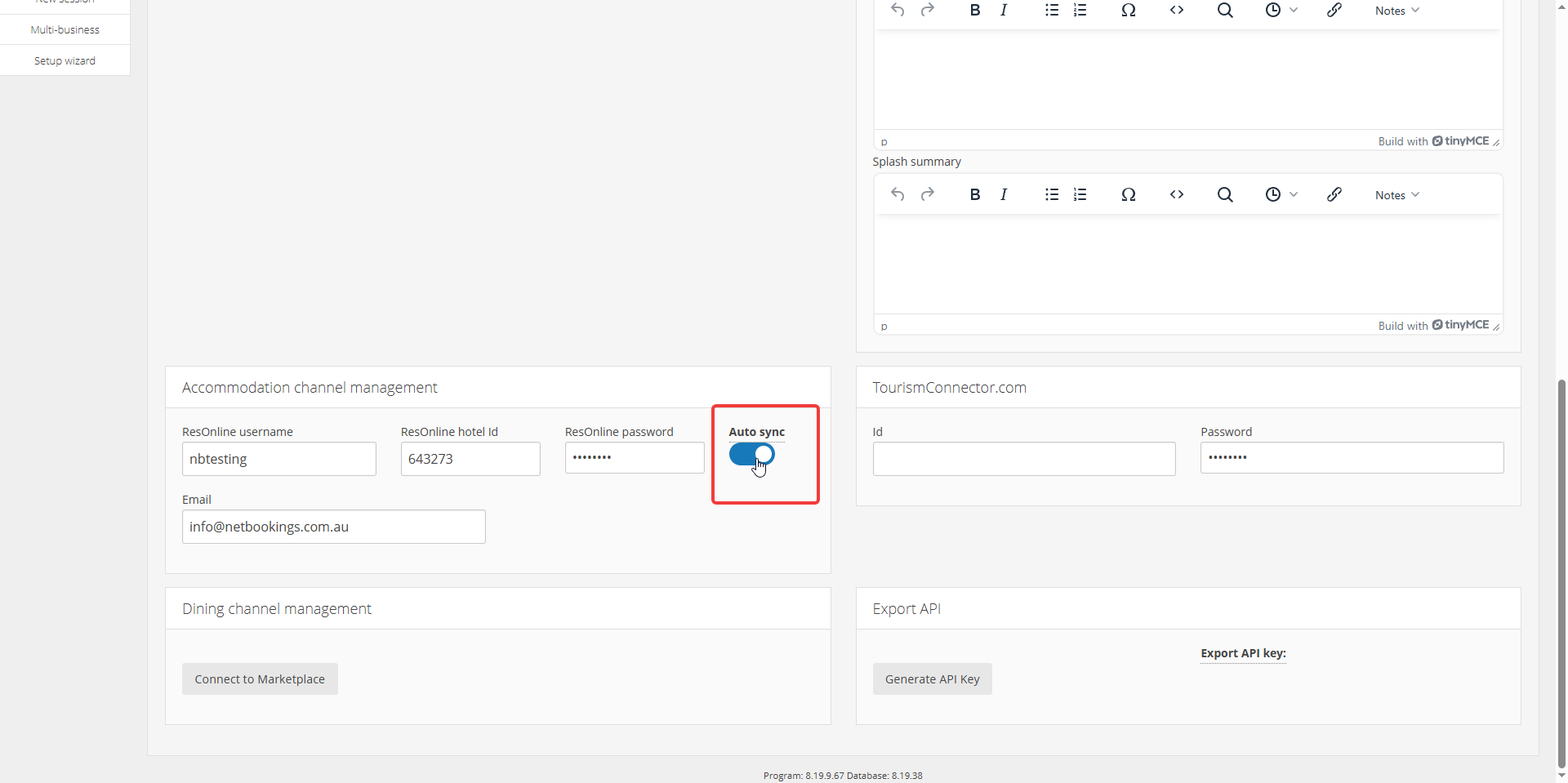
Go to System>Setup>Settings>Integrations and go down to ‘Accommodation Channel Management’ panel. Select Auto Syncing and save.