
Staff Role Functions
Functions must be added to a ‘Role’ to define how it will be used in the Netbookings system.
Assigning a role to a user, or staff member account, is a necessary step in creating staff profiles. For example, ‘Roles’ and therefore functions can be assigned to staff who make structural changes to the Netbookings system, such that a Supervisor may require.
Netbookings ships base roles that suit most businesses. If they do not, we must edit existing ‘Roles’ or create new ones. for different users & staff members you have in your business.
Apply Function to Staff Role
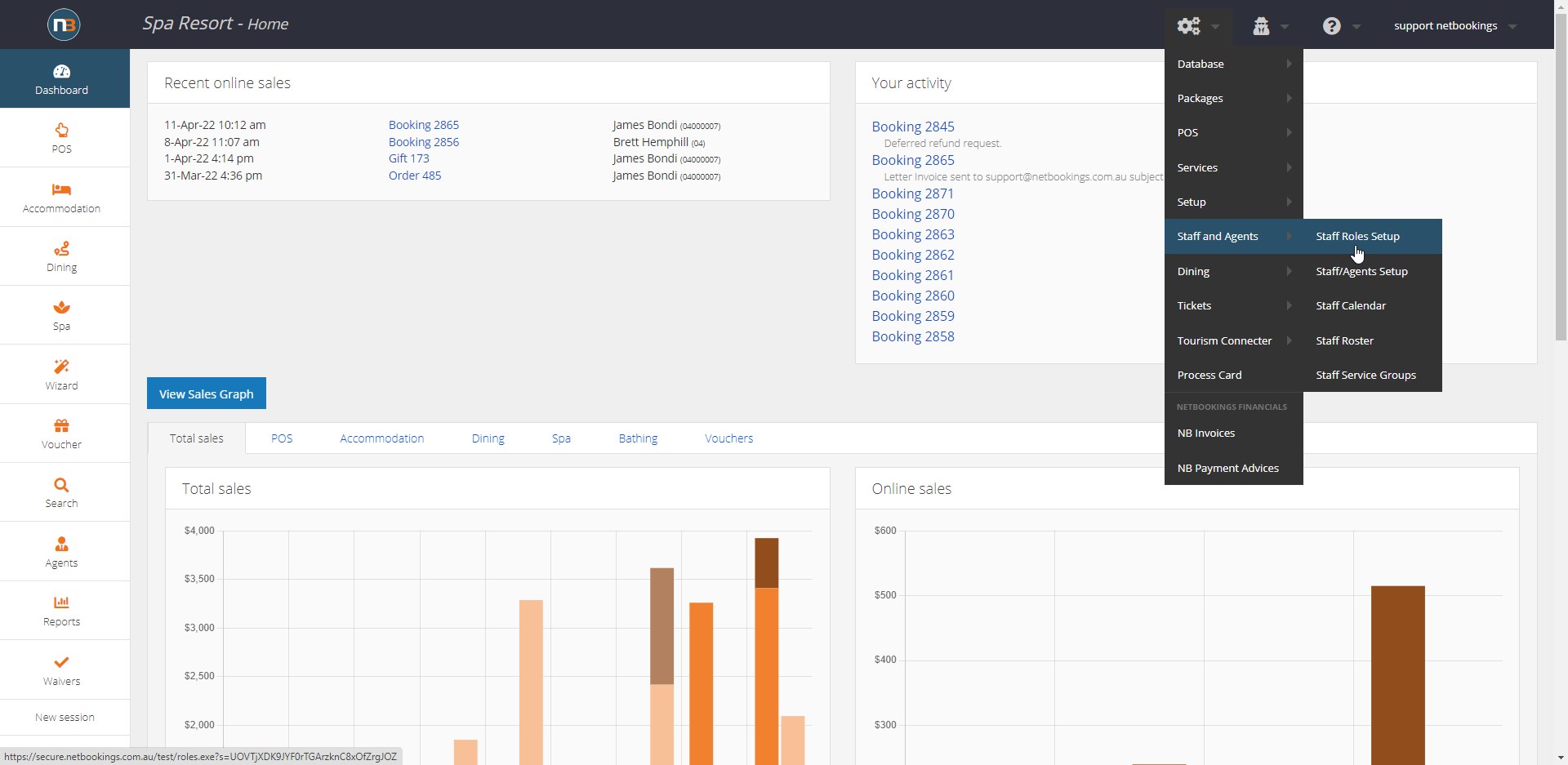
Go to System>Staff and Agents>Roles Setup
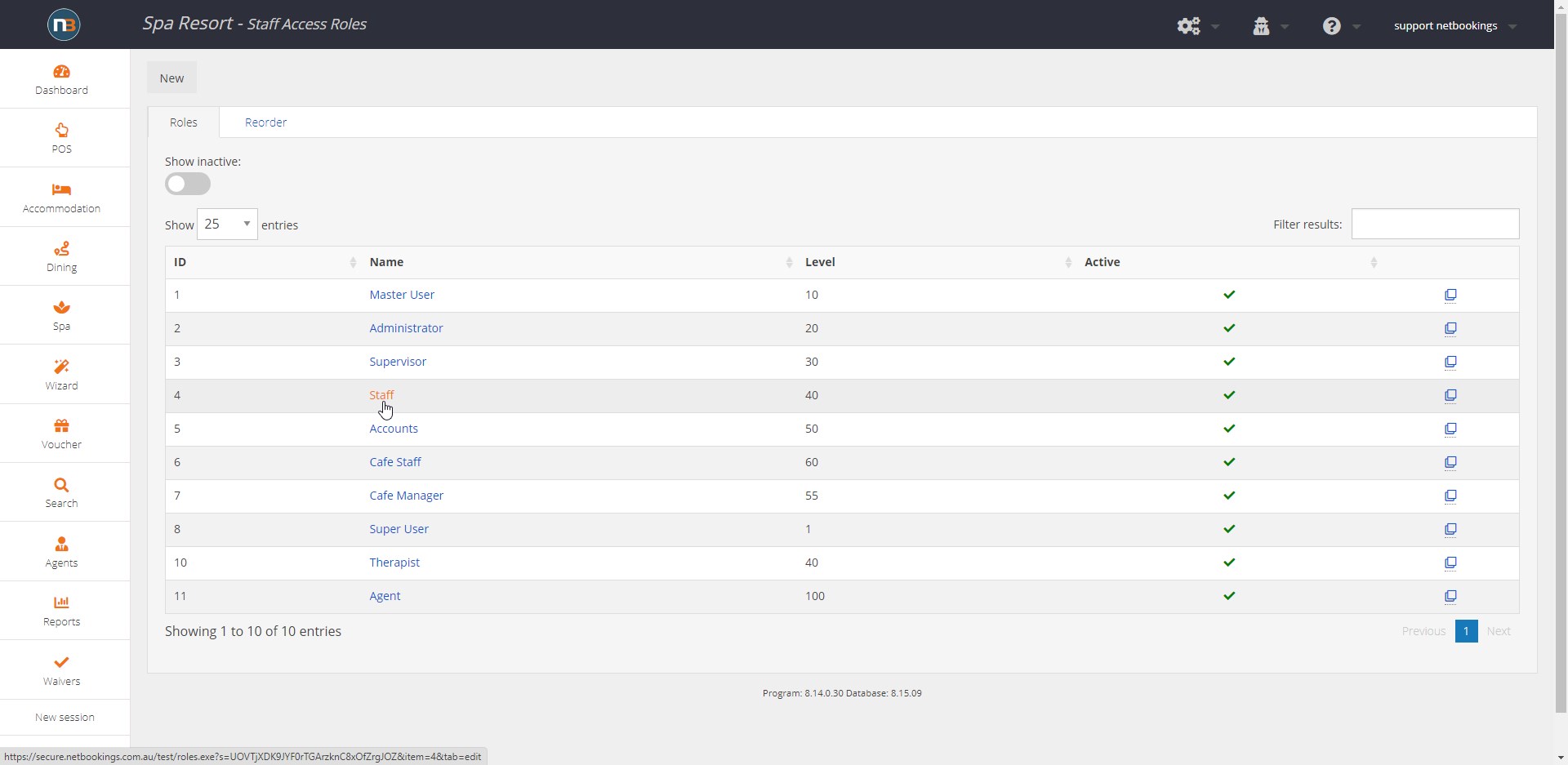
Select Role to add functions to. Or click ‘New’ in top left corner to create new role.
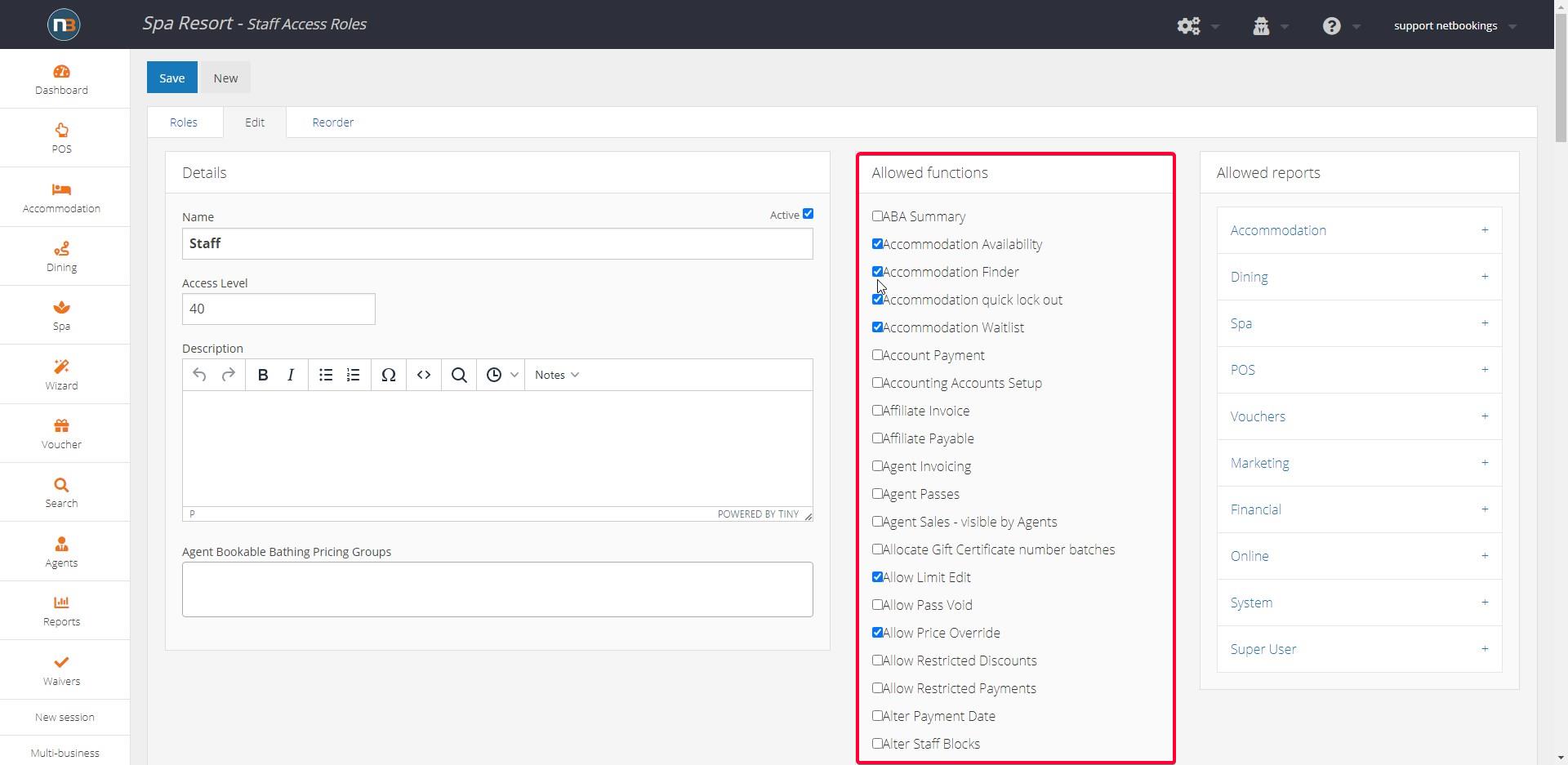
Add Functions from ‘Allowed Functions’ panel. This panel is long as you will see. Once this complete the ‘Role’ can be assigned to staff. See Adding Staff Members.
Recommended functions of Roles for your business needs can be discussed with Netbookings staff.
Allowed Reports
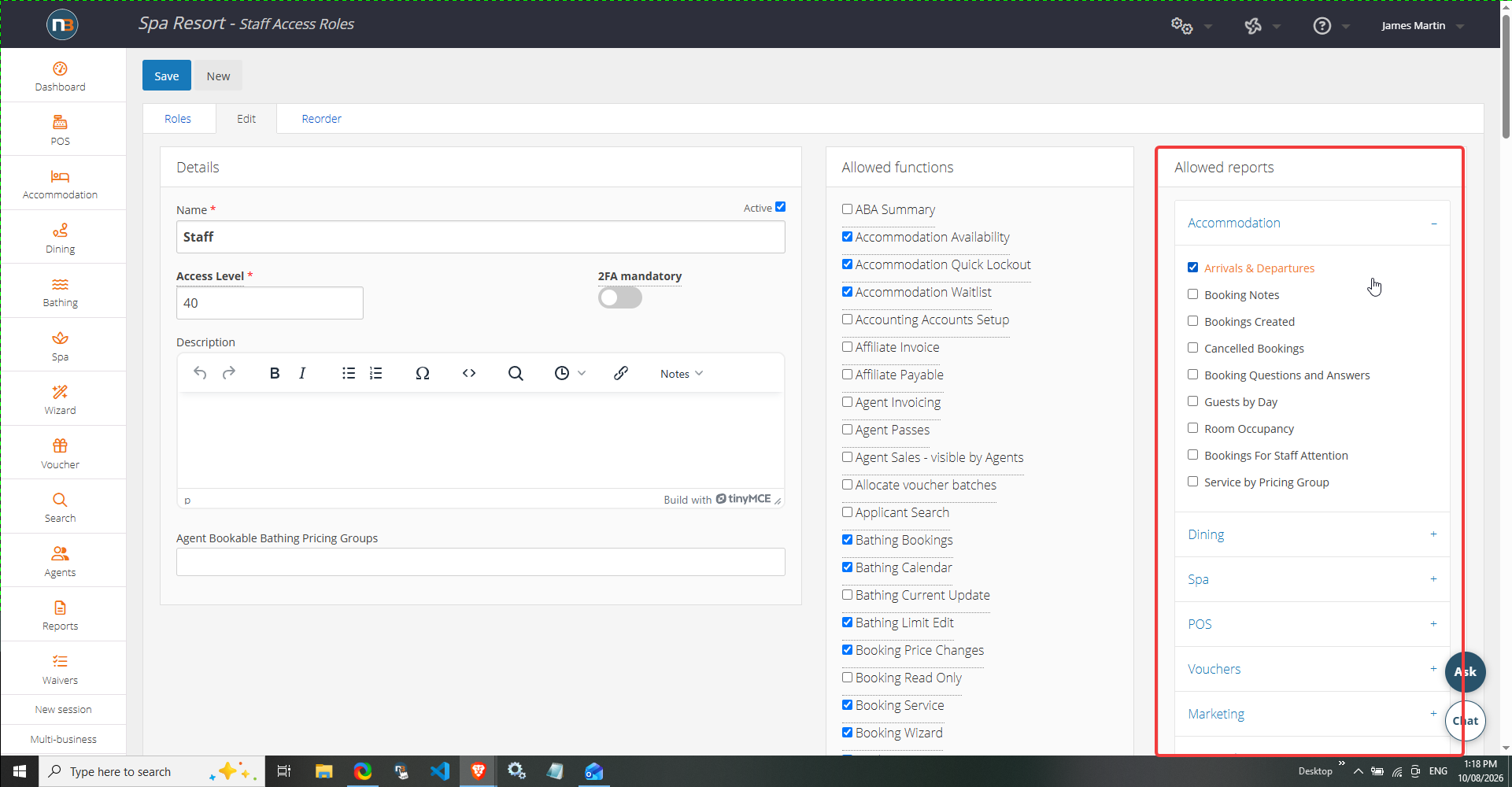
Select which reports user role is allowed to view. Select the various headings and check boxes next to reports for the role to view.
2FA Authentication
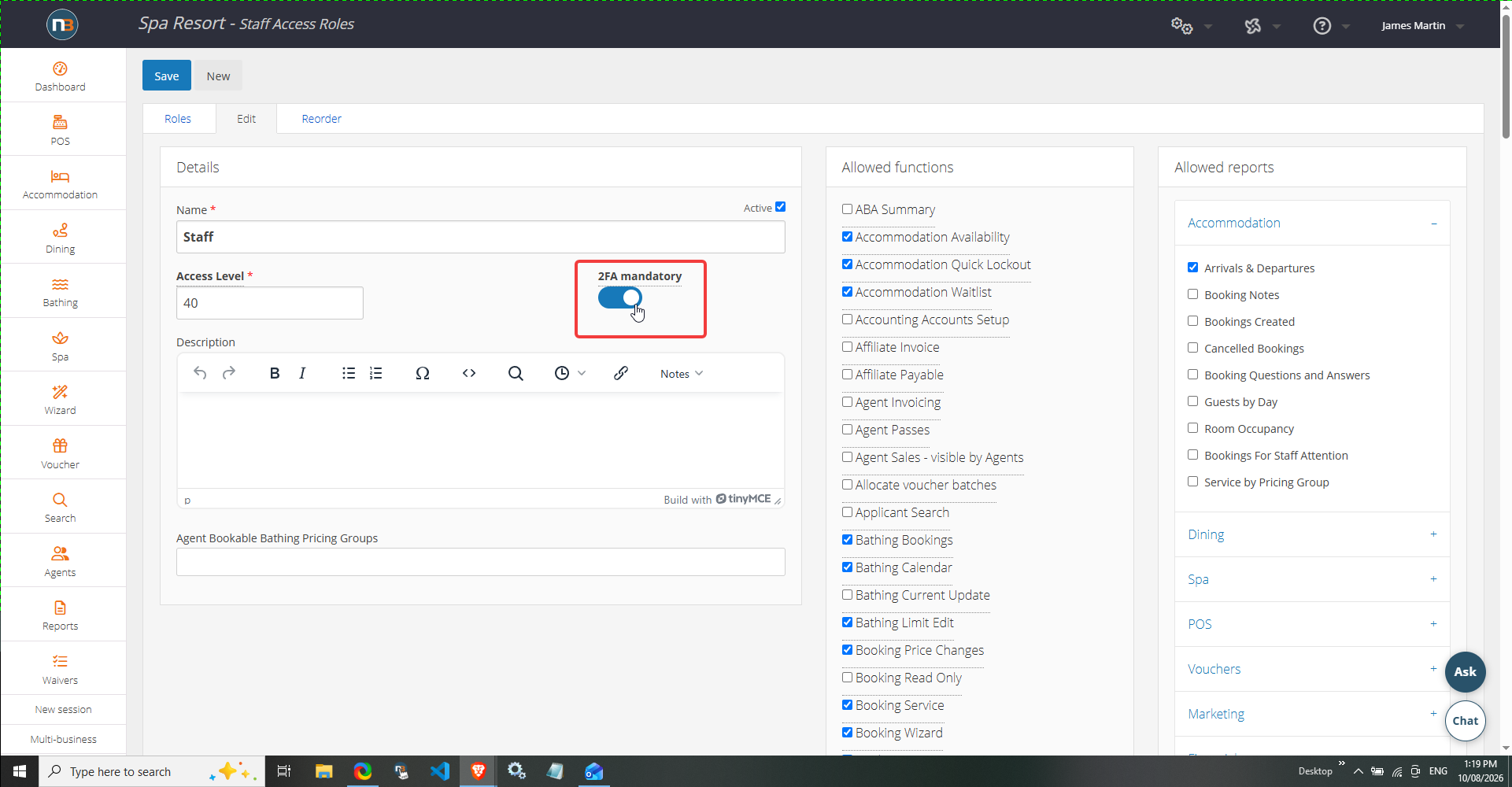
If added security is required for a role type, then enabling two-factor authentication should be prioritised.
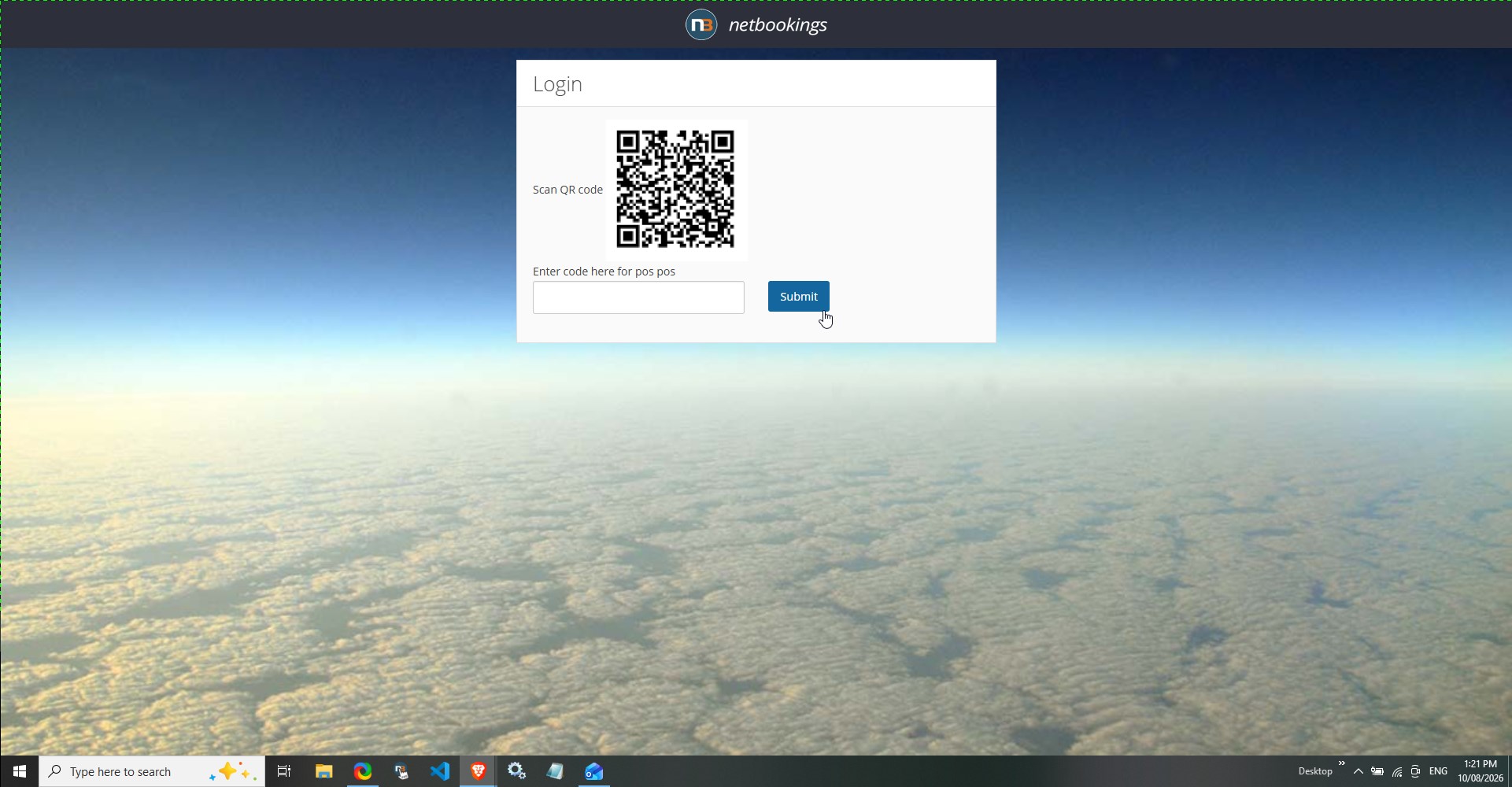
On login in, user can scan QR code to setup 2FA authentication for their user account.