
Suppliers
Suppliers can be setup in the system to allow the grouping of retail products for stock take, and categorizes them appropriately. See Stock Take for more information.
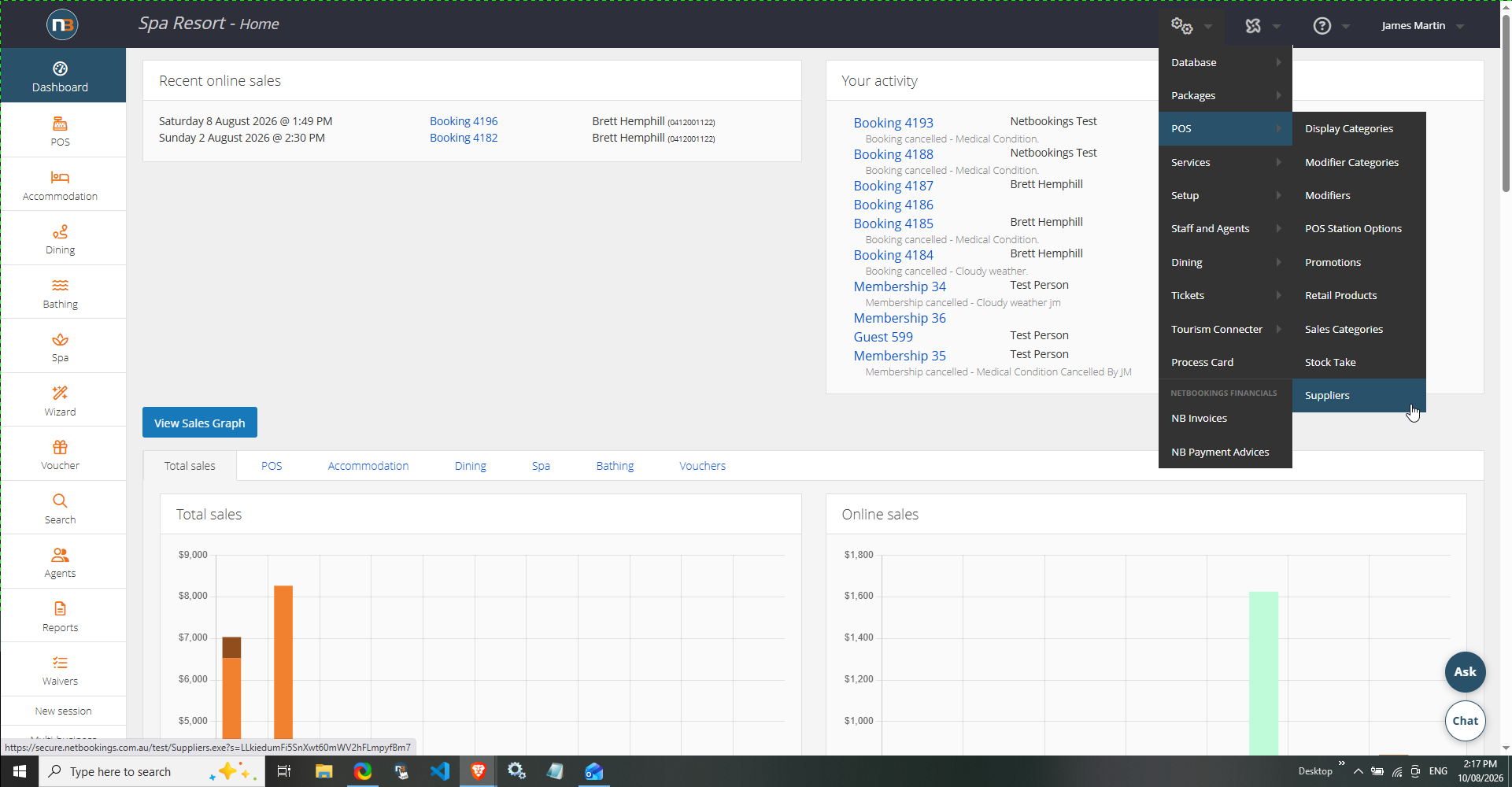
Go To System>POS>Suppliers
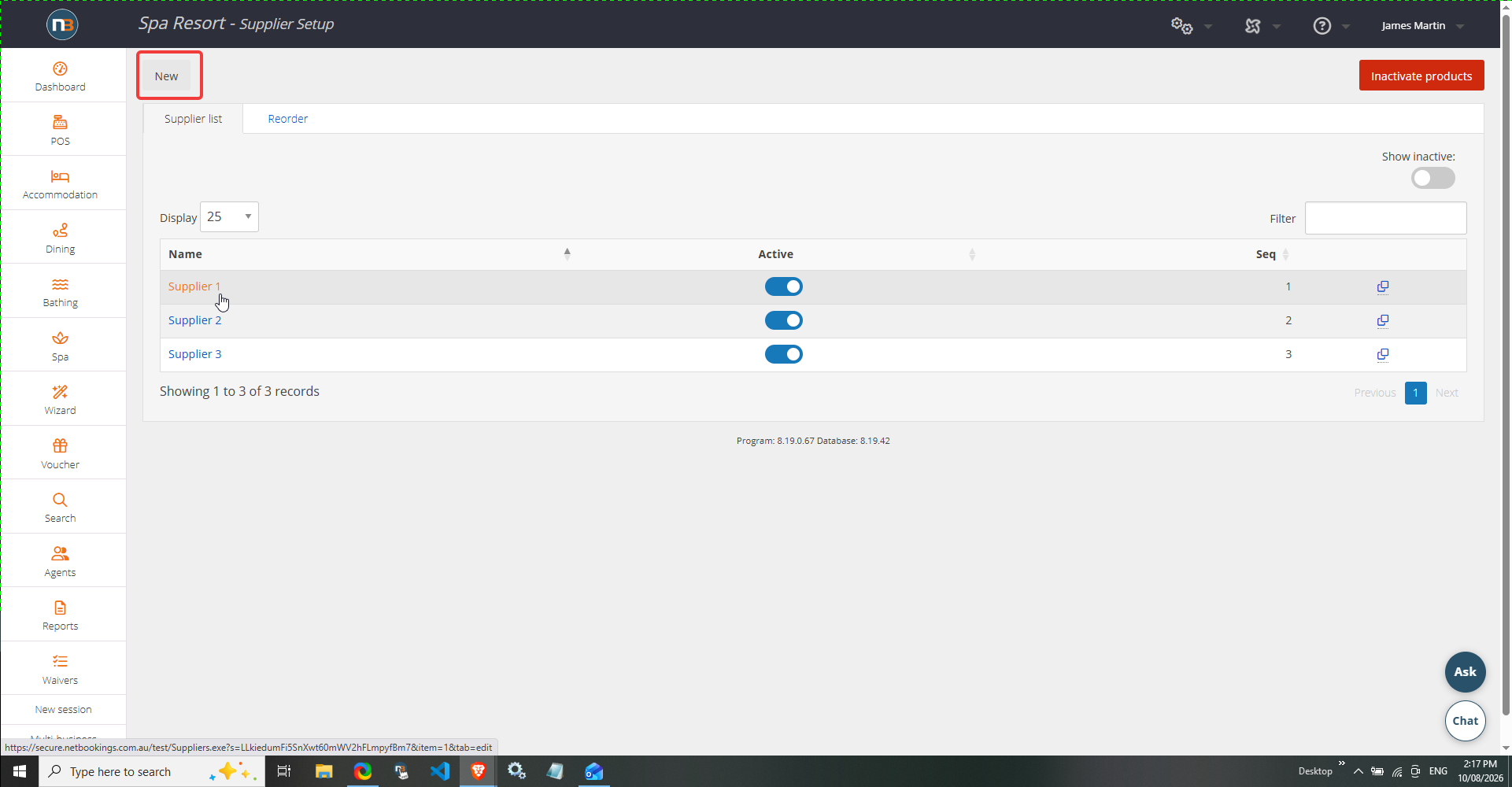
Create New
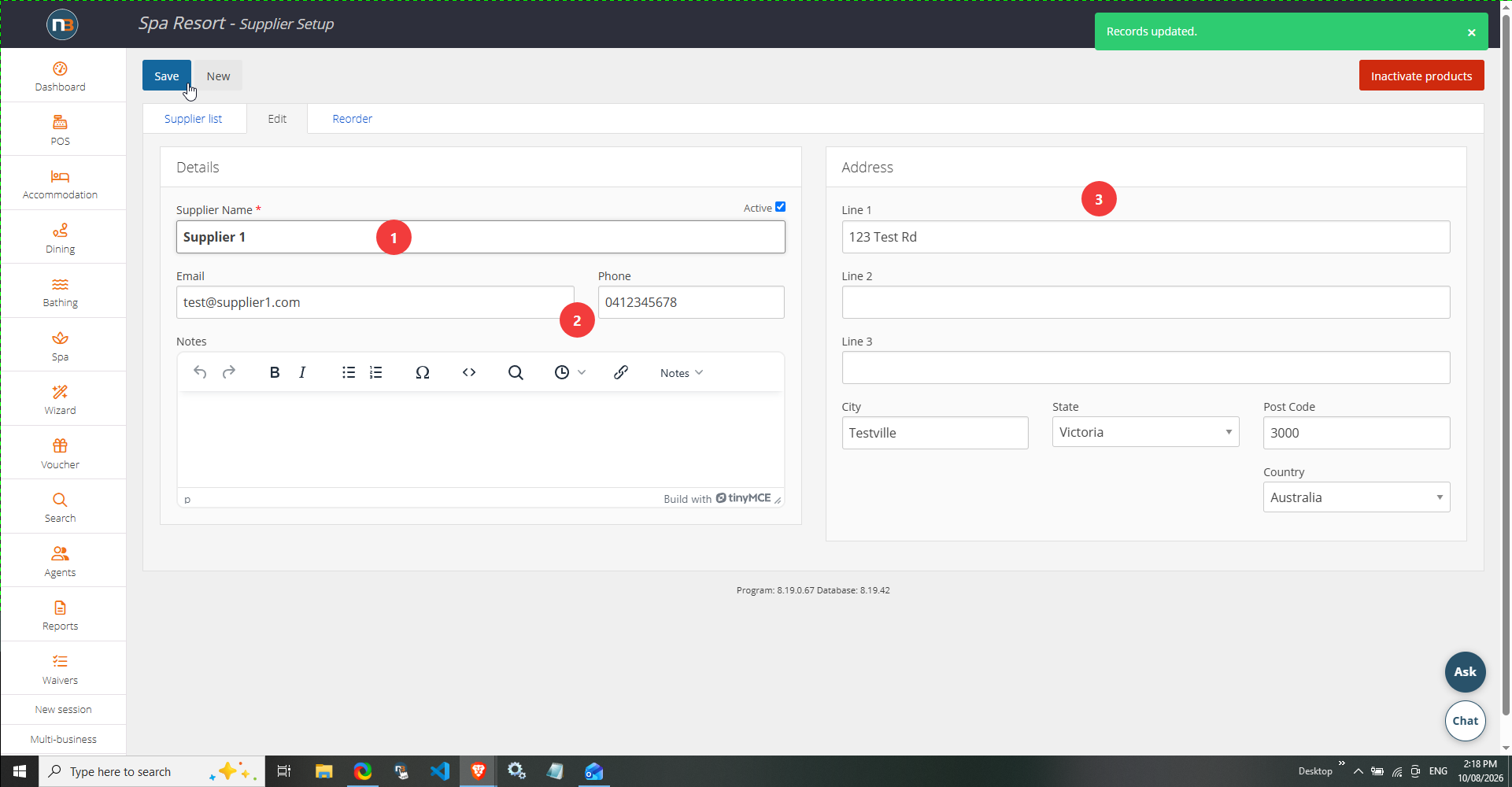
Add Details of Supplier
Assign Supplier To Retail Products
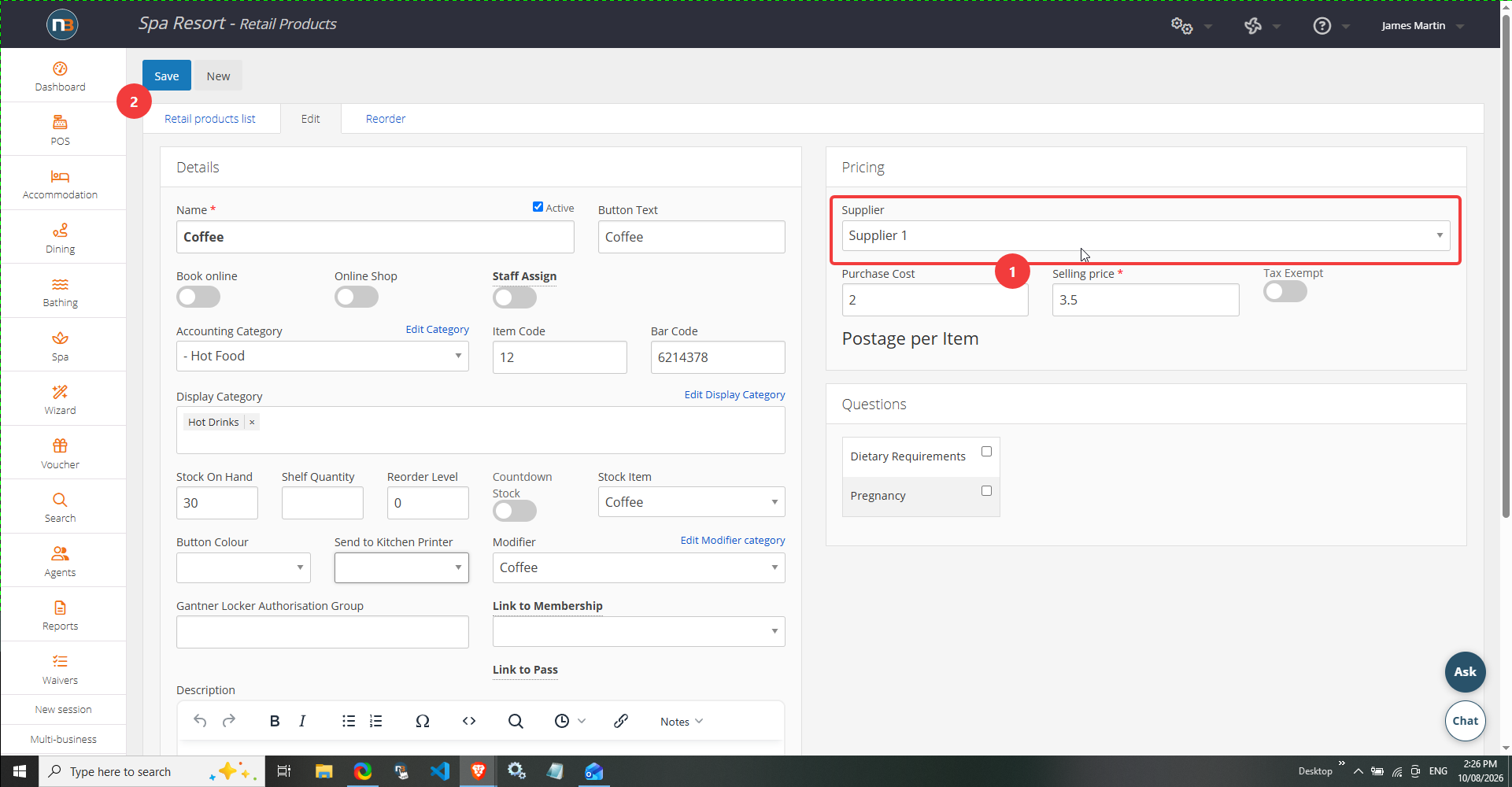
Go to System>POS>Retail Products to view existing or create new retail product. Here we can assign the supplier group to the product. See Stock Take for more detail about assigning to retail product.
See in Stock Take>Grouping
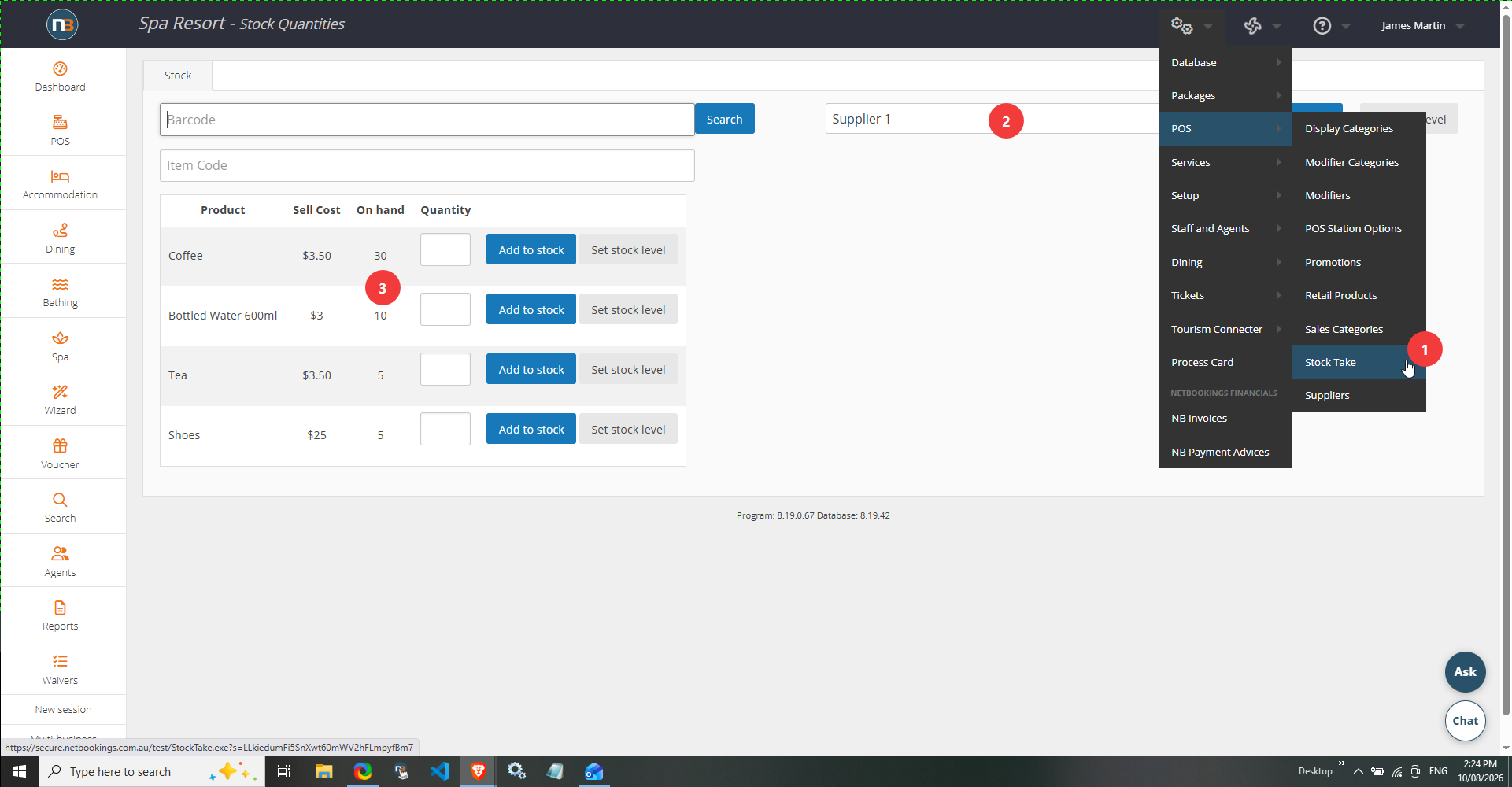
Go to System>POS>Stock take. Select our supplier group and all assigned retail products will now show under Stock Take.