
Dynamic Pricing
You can use dynamic pricing to automatically adjust your accommodation rates via discounts dependent on how far in advance your guest makes their booking.
Navigate to Dynamic Splits Setup
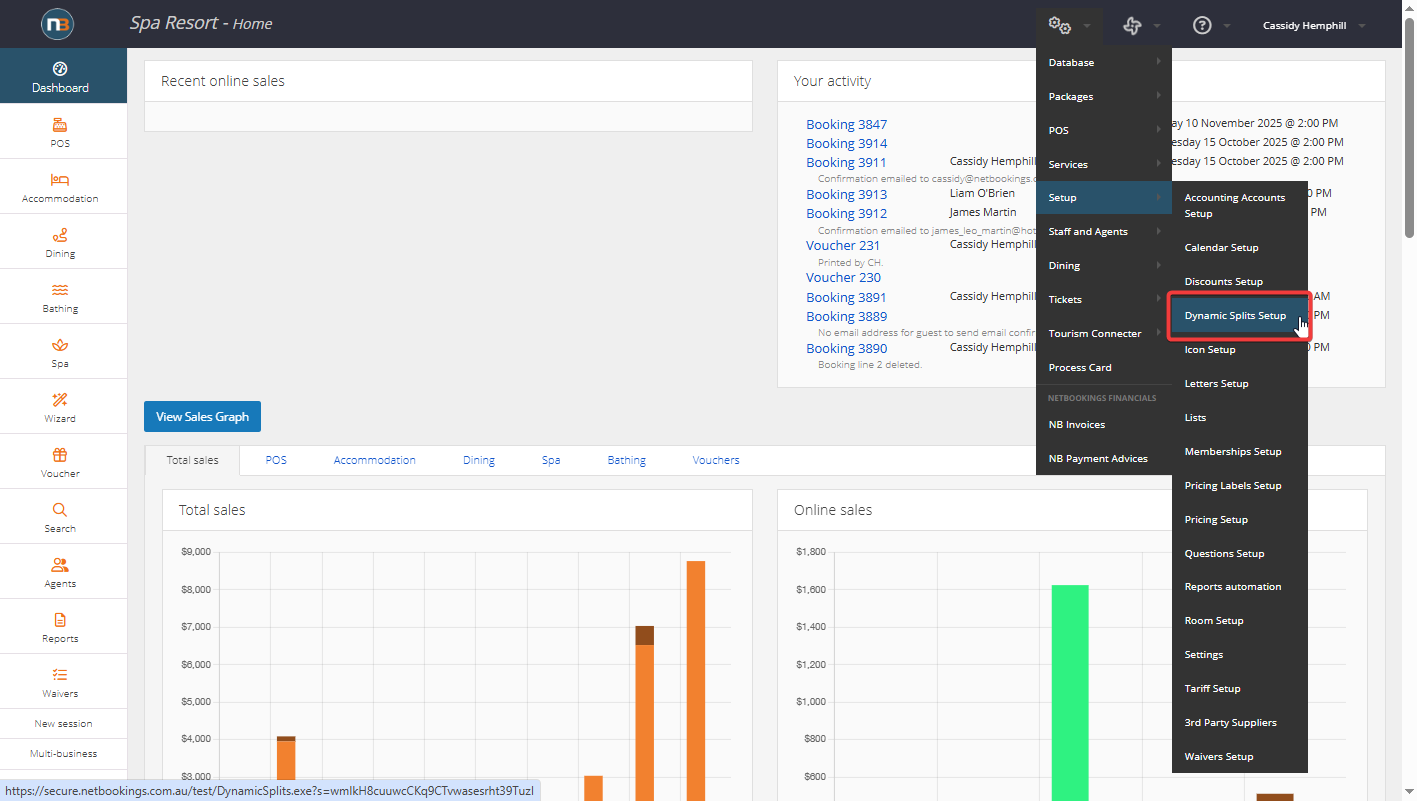
Navigate to System>Setup>Dynamic Splits Setup
Click ‘New’
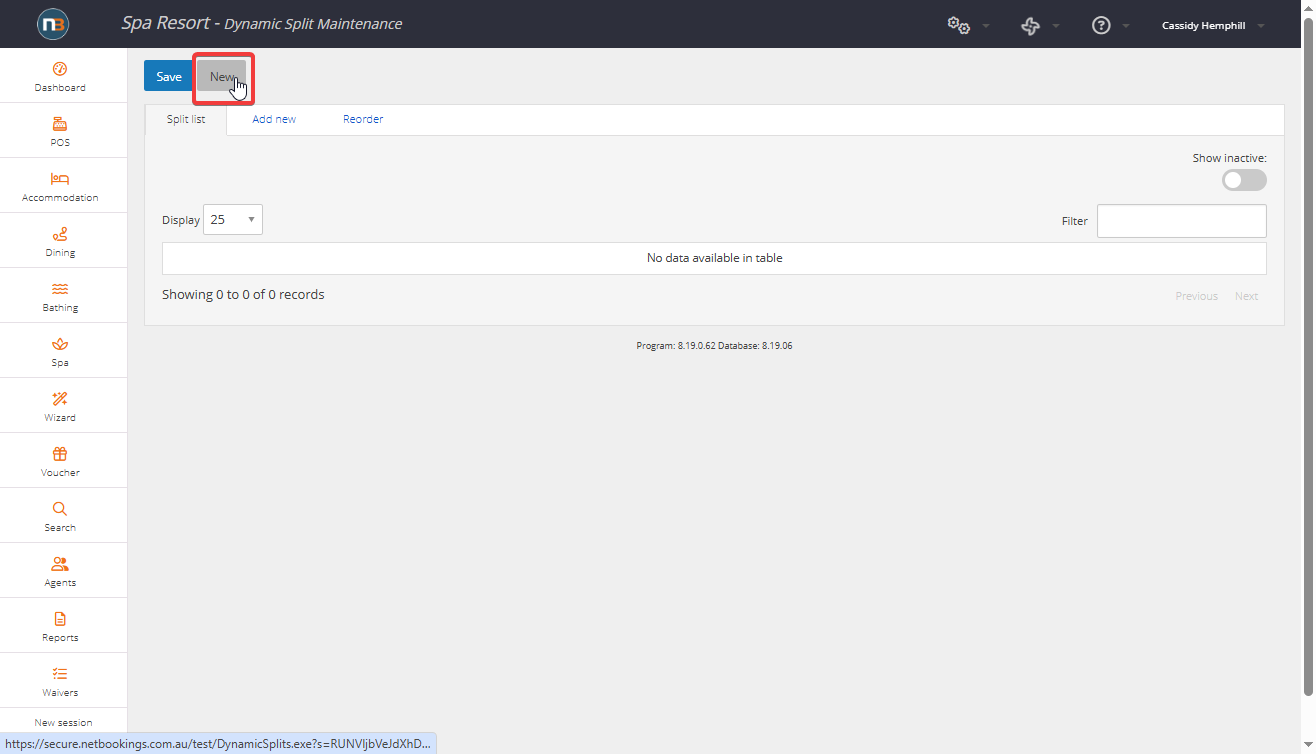
Enter details and click ‘Save’
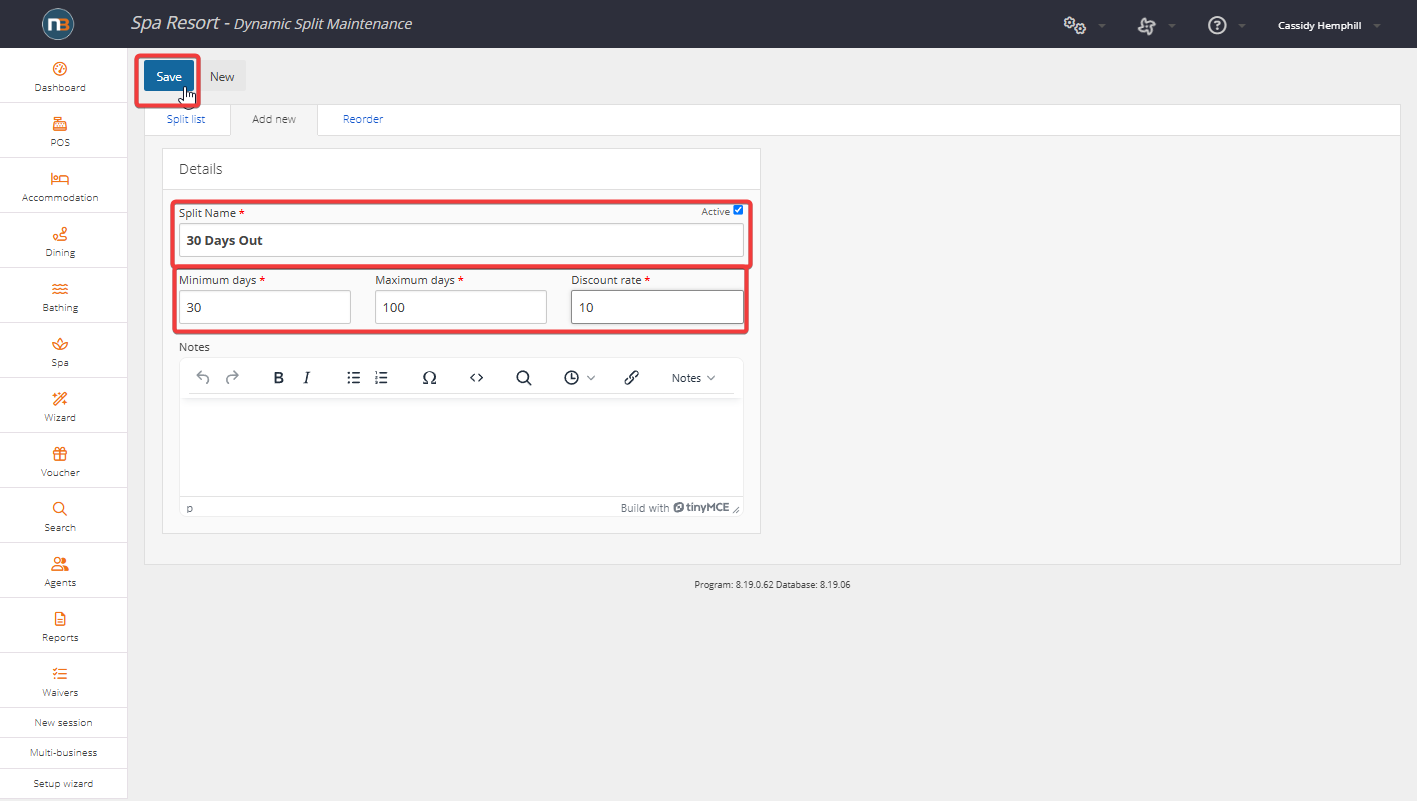
Enter split name, the minimum and maximum days out that the discount will apply to the booking, and the discount amount, then click ‘Save’. In this example, we have created a 30 day out split, which applies a 10% discount to any bookings created more than 30 days before the booked date.
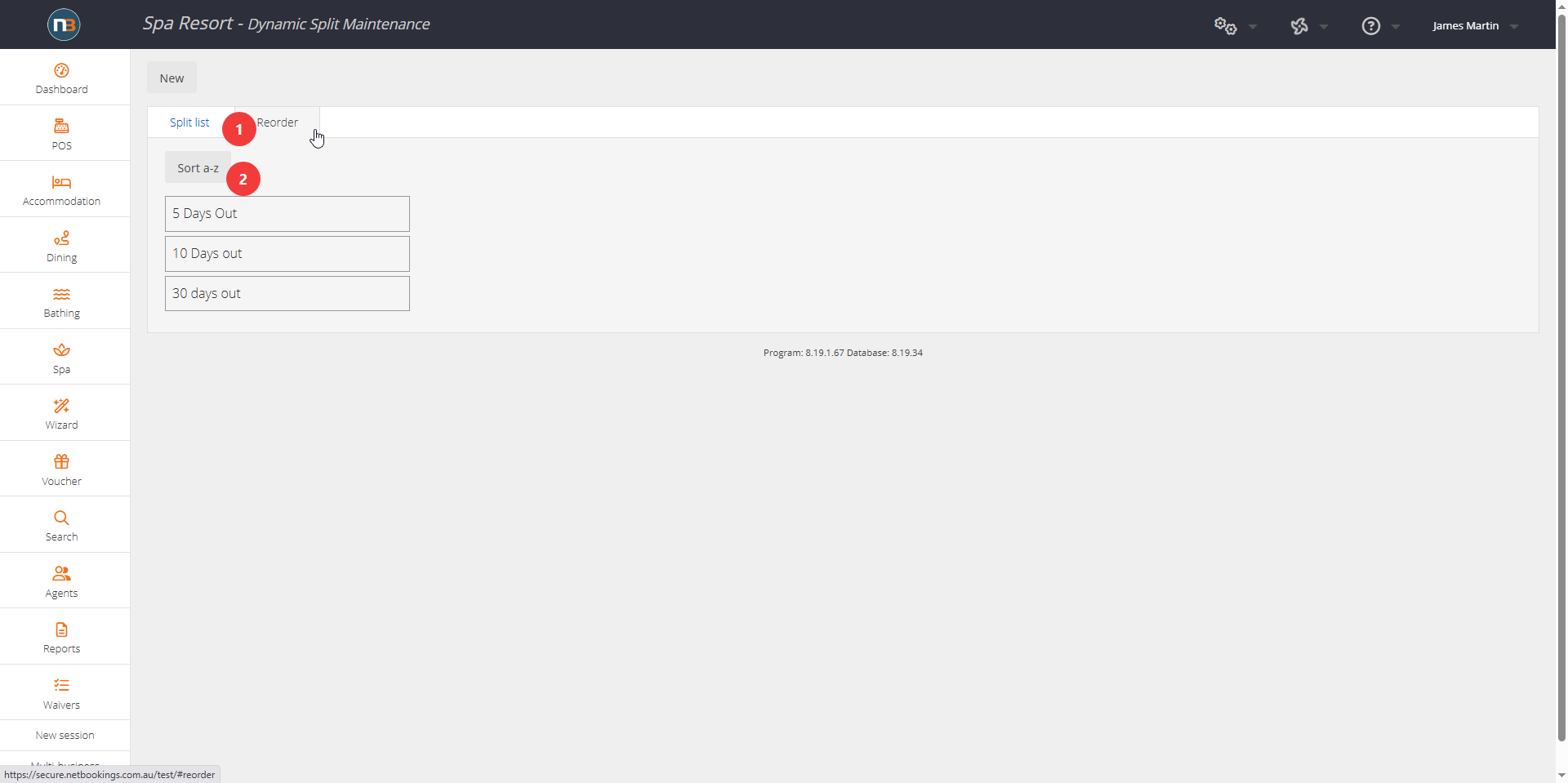
NOTE: Ensure they are sequentially ordered to function properly in pricing setup.
Navigate to Pricing Setup
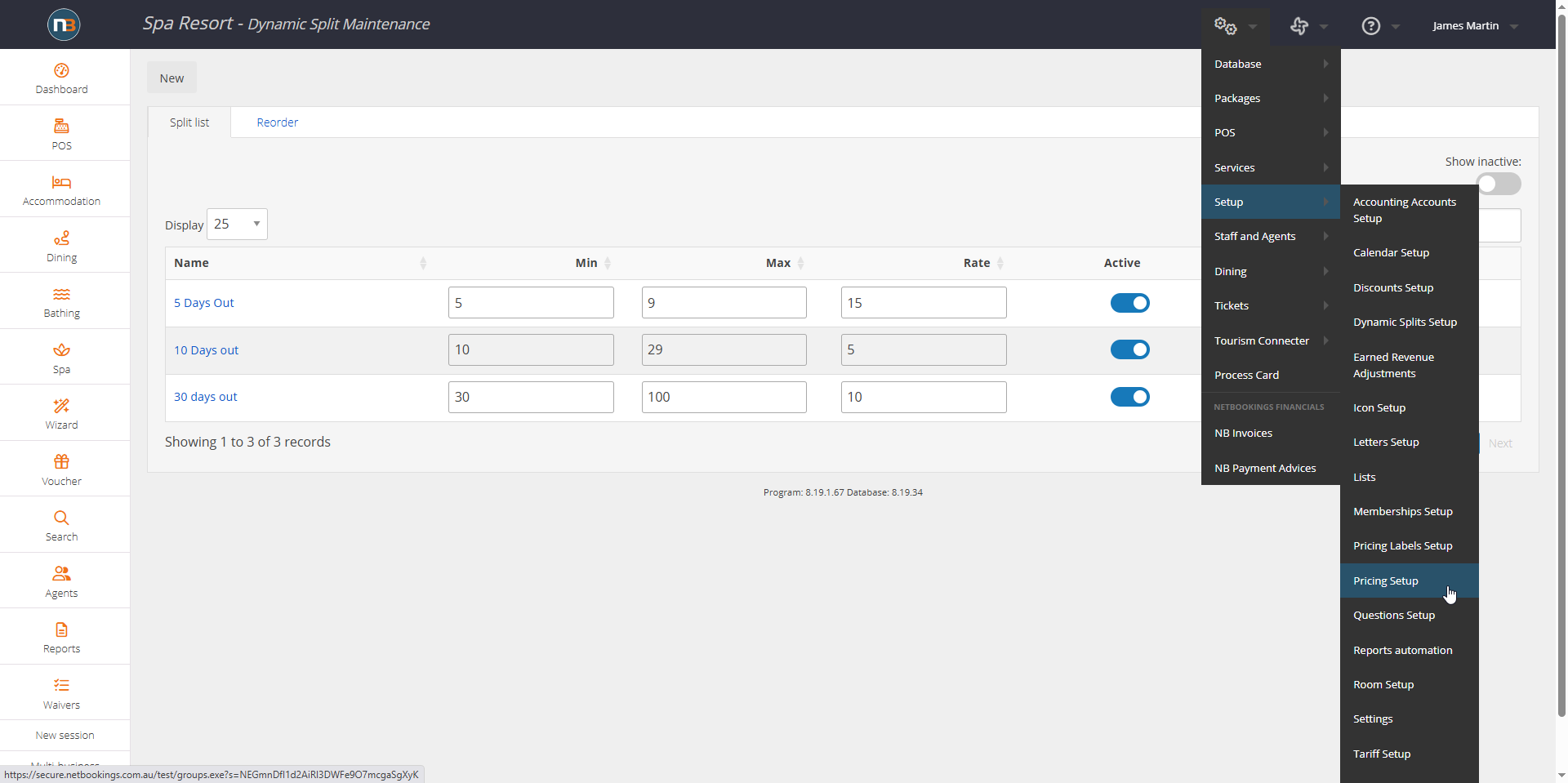
Note the multiple splits now created in order. Navigate to System>Setup>Pricing Group Setup.
Select the Dynamic Pricing Splits per Pricing Group
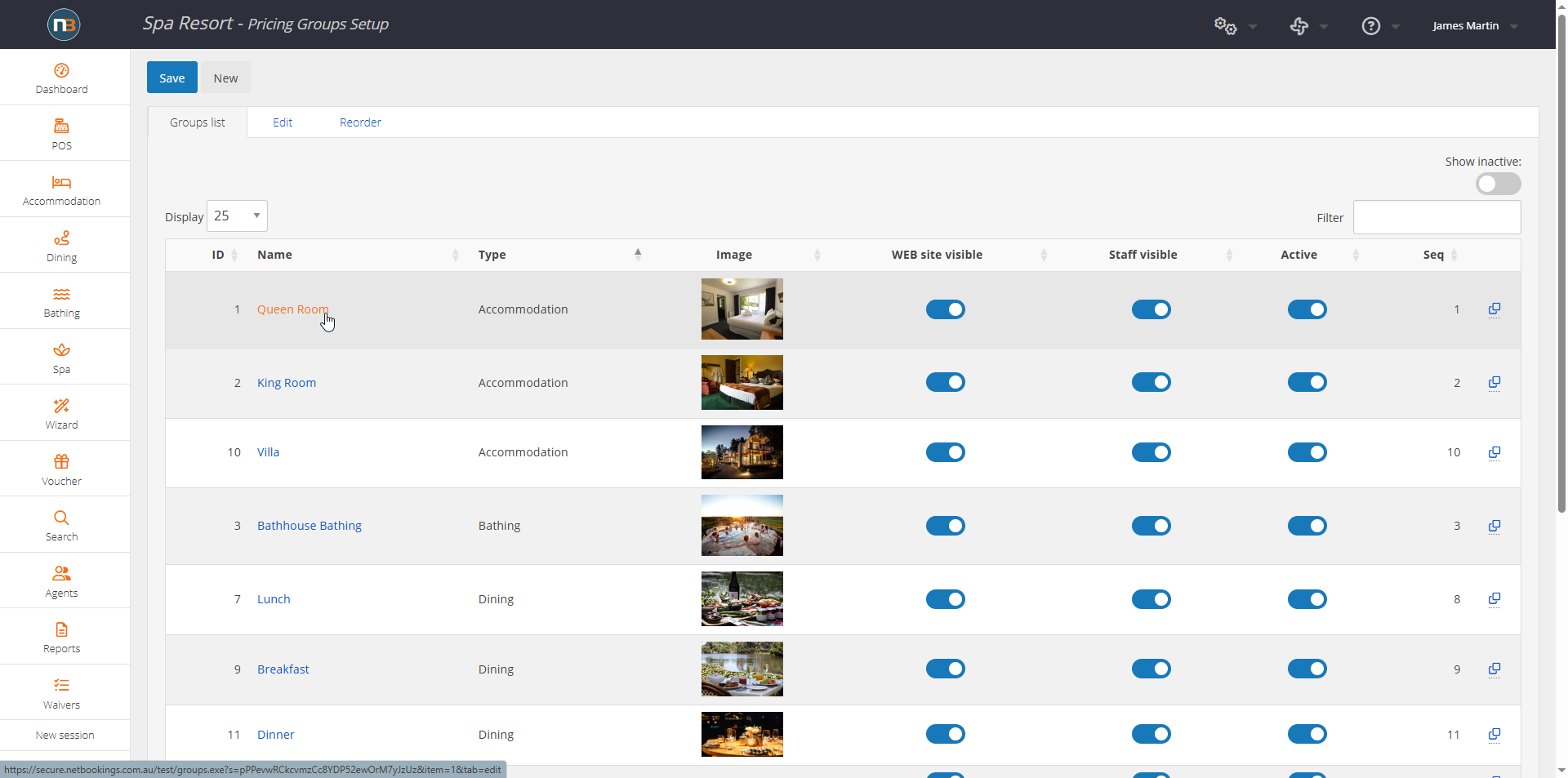
Select the pricing group you wish to apply the dynamic splits to.
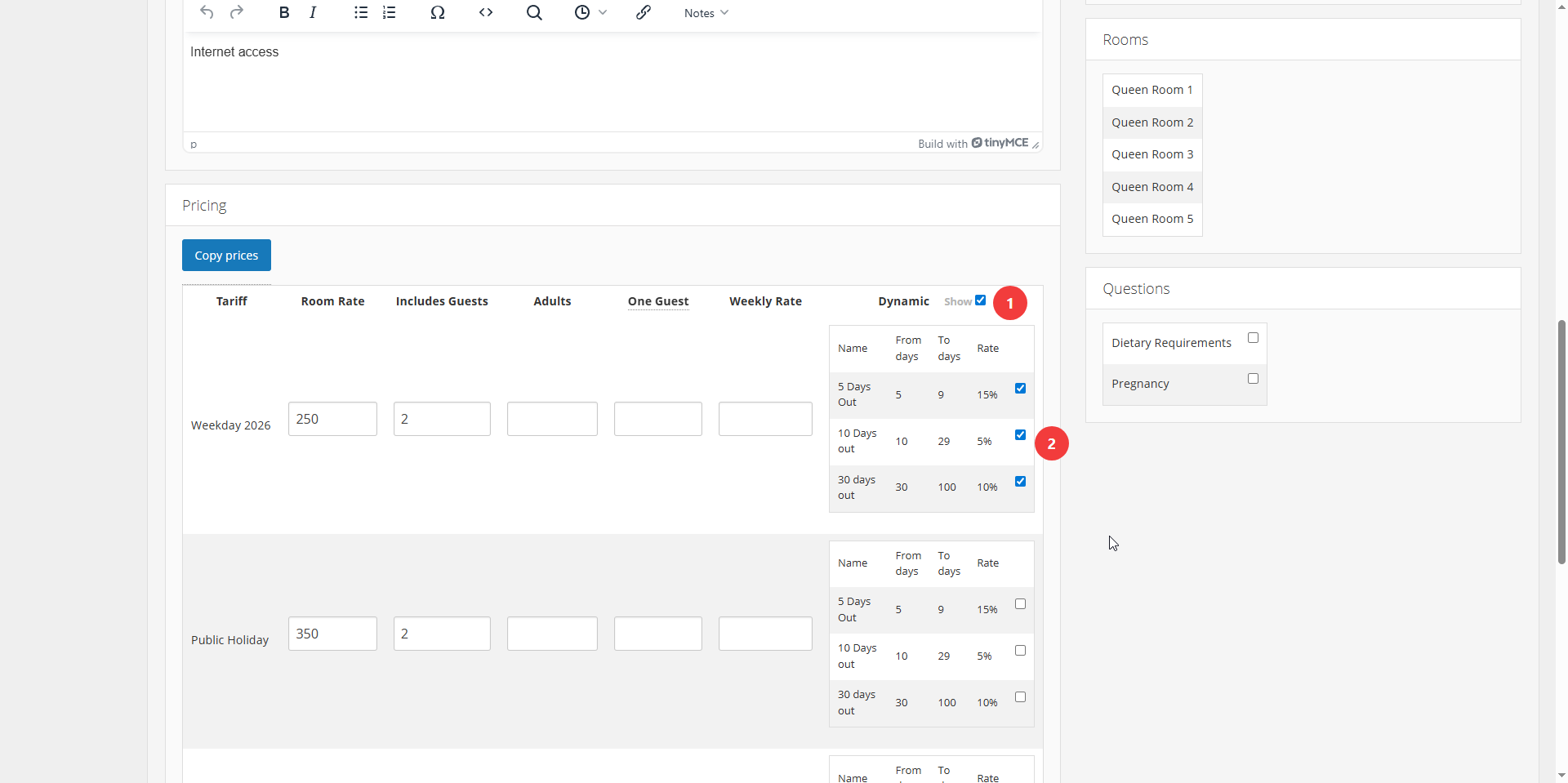
Go to pricing panel and click on the dynamic splits checkbox to reveal your splits. You can choose different splits to the tariffs to allow different dynamic pricing splits. Eg. You might apply a 10-29 day split and a 30 day out to a week day tariff, but no dynamic pricing splits to a weekend tariff.
Click ‘Save’
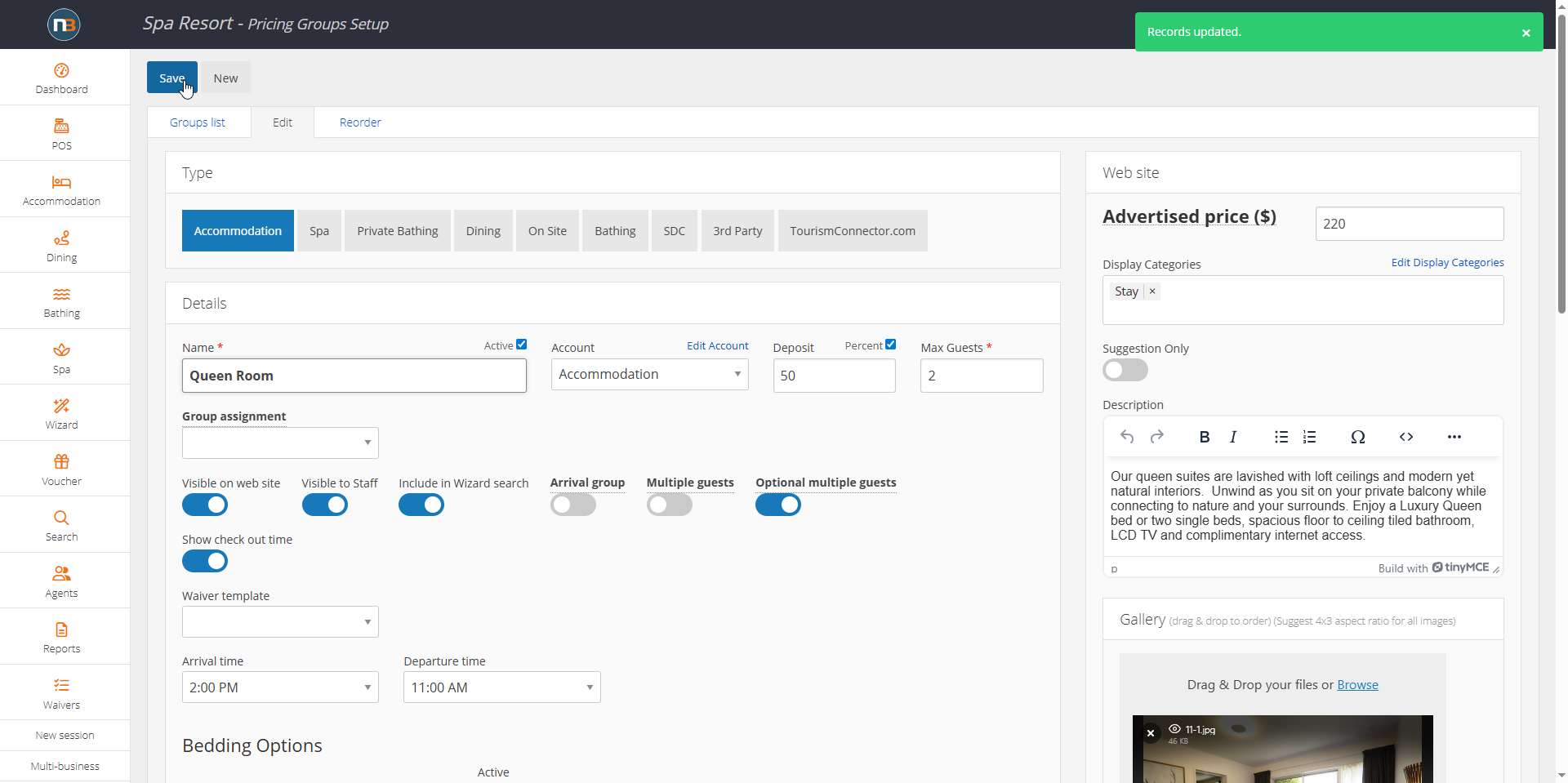
Navigate to ‘Accommodation Calendar’
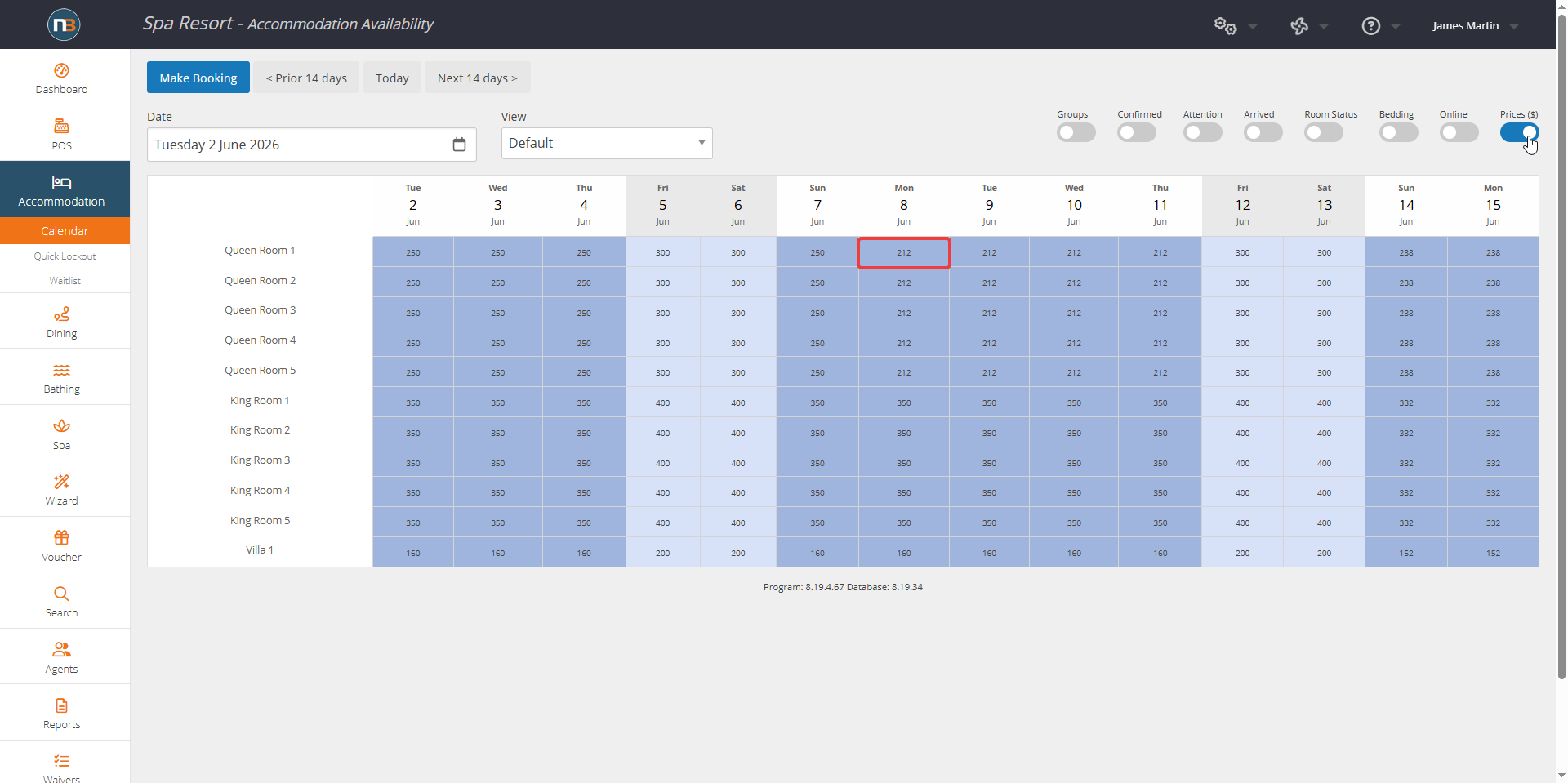
Looking at your accommodation calendar into the future, you can see your dynamic pricing discounts applied. In this example, we can see from the 9th of June, the price has dropped from $250 to $212 in Queen room 1 due to dynamic pricing for the 5 day out split applied.
Channel Management
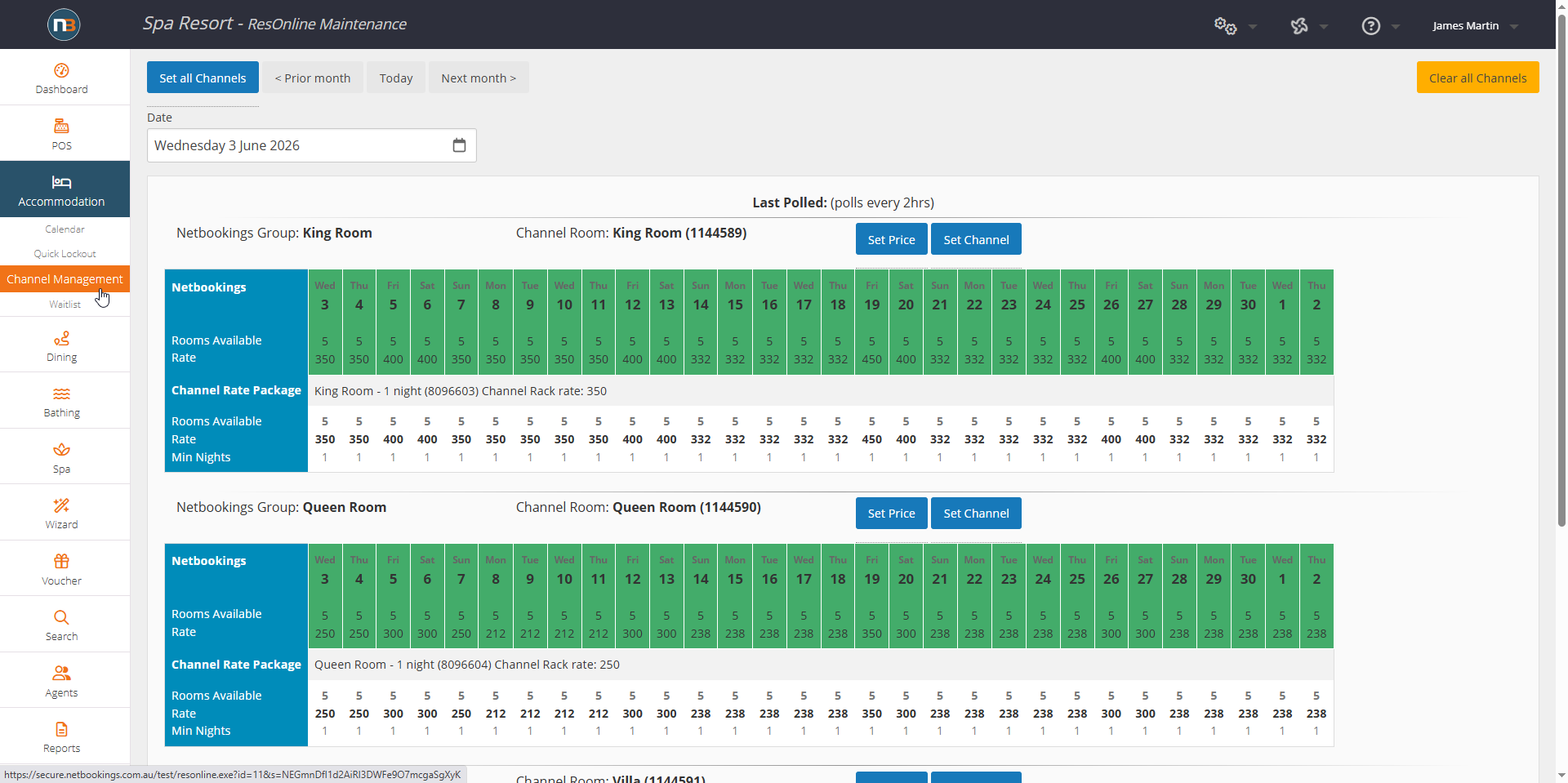
Dynamic Prices are automatically synced on the channels once per day. More information at help.netbookings.com.au/resonline/